Safety Check-Ins
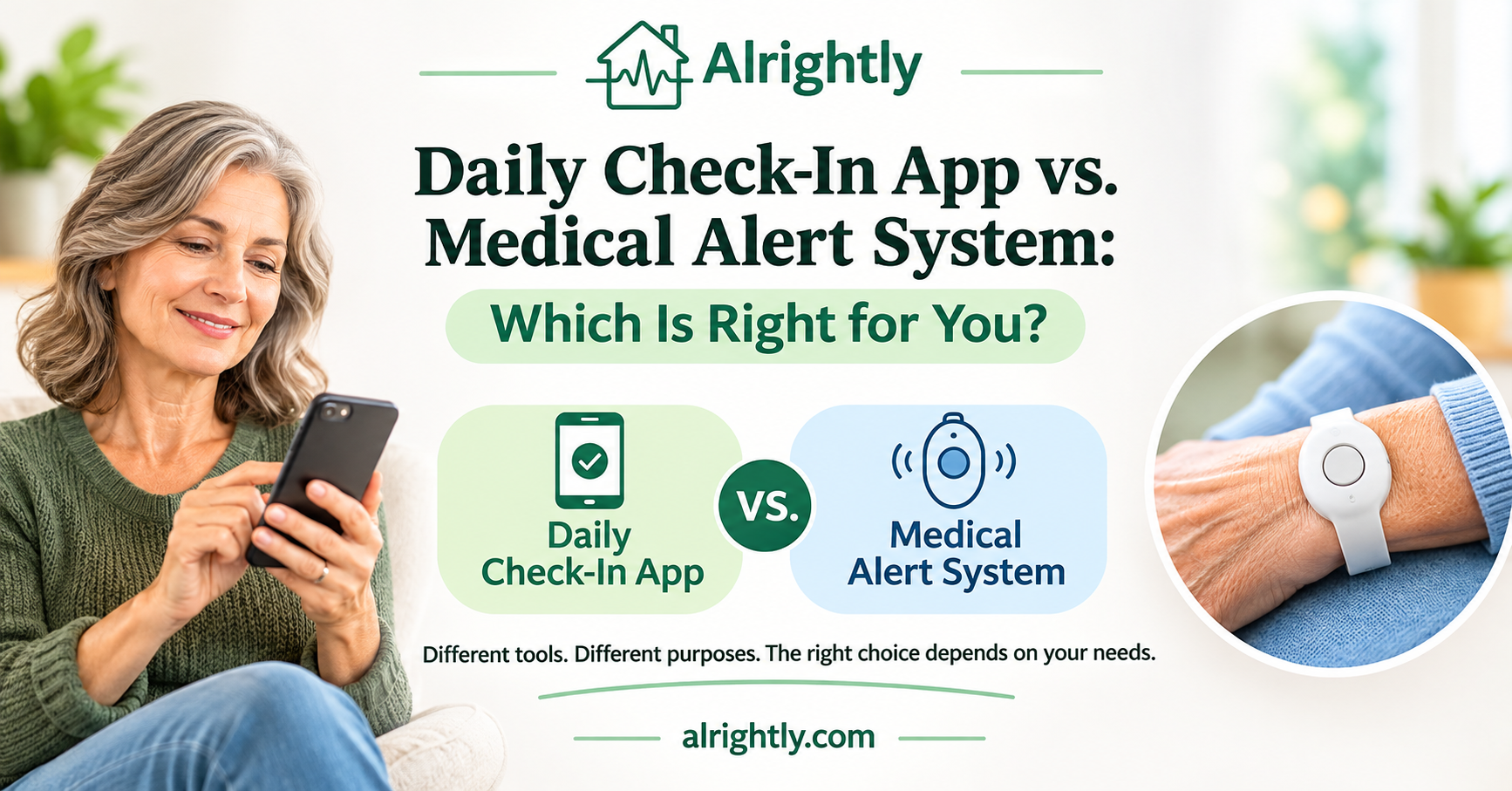
Daily Check-In App vs. Medical Alert System: Which Is Right for You?
November 12, 2026 · The Alrightly Team
Daily Check-In App vs. Medical Alert System: Which Is Right for You?
Living alone doesn't necessarily mean you need a medical alert device. You might be healthy, active, and perfectly comfortable managing your daily life, but still wonder what would happen if you became unable to contact someone in an emergency. Or perhaps you're helping an aging parent stay independent and trying to decide whether a wearable emergency button, a daily check-in app, or some combination of the two would be most useful.
At first glance, these options seem to solve the same problem: making sure someone can get help when they need it. But they work in fundamentally different ways. A medical alert system generally provides a way to request assistance during an emergency, while a daily check-in app creates an expected confirmation that can alert someone when it doesn't happen.
That distinction matters because the right solution depends on what you're trying to prepare for. Someone concerned about falling and needing immediate assistance may benefit from a different type of protection than someone whose main worry is that an unexpected absence could go unnoticed for days. Neither concern is limited to a particular age group, and neither requires giving up your independence.
This guide compares daily check-in apps and medical alert systems, including how they work, what they cost, their limitations, and when one or both might make sense. The goal is to help you choose a practical safety net that fits your actual needs rather than paying for technology you may never use.
What Is a Daily Check-In App?
A daily check-in app is a service that lets you confirm you're okay at an expected time. Depending on the app, that confirmation might involve tapping a link, responding to a notification, or completing a simple check-in on your phone. If you don't respond within the designated window, the service can notify one or more trusted contacts.
The defining feature is that the check-in is expected. Your friend or family member doesn't have to remember to send a message every day or notice that you haven't posted anything in the group chat. Instead, the service establishes a routine in which an unexpected absence can trigger a notification.
For someone who lives alone, this can address a concern that ordinary communication doesn't always solve. You may have plenty of people who care about you, but if nobody expects to hear from you on a particular day, an emergency could go unnoticed until someone happens to reach out.
How a daily check-in works
Most scheduled check-in services follow a straightforward process:
You choose a check-in schedule and designate trusted contacts.
The service prompts you to confirm that you're okay.
You complete the check-in using the available method.
If you don't respond, the service follows its missed-check-in process, which may include reminders or a grace period.
If the check-in remains incomplete, designated contacts receive a notification and can follow up.
The exact timing and notification methods vary by service. Some offer one daily check-in, while others support multiple check-ins or different notification channels. It's important to review these details because the time between an emergency and a missed-check-in alert depends on the schedule you've chosen.
What daily check-in apps do well
Daily check-in apps are particularly useful when the main concern is that something could happen and nobody would know to investigate. They create an expected signal without requiring another person to actively monitor your movements or initiate every conversation. For people who value privacy, that can be an appealing alternative to continuous location sharing.
They also work well for families who want to separate social connection from safety confirmation. Daily check-in options can include quick interactions (like a text or a tap on a check-in confirmation link), leaving phone calls and visits for actual conversation rather than turning every exchange into a wellness check.
What daily check-in apps cannot do
A daily check-in app doesn't automatically know whether you're safe between scheduled confirmations. If something happens several hours before your next check-in, the system may not alert anyone until the scheduled time and any applicable grace period have passed. It also cannot necessarily distinguish an emergency from a dead phone battery, a missed notification, or an unexpected change of plans.
Most importantly, an alert to a trusted contact isn't the same as professional emergency response. Someone still needs to receive the notification, decide how to follow up, and contact emergency services when appropriate. That's why a check-in routine should always be paired with a clear response plan.
For a more detailed explanation, see What Is a Safety Check-In App and How Does It Work?
What Is a Medical Alert System?
A medical alert system is a service or device designed to help someone request assistance during an emergency. Traditional systems use a wearable button, often attached to a pendant or wristband, that connects the user to a monitoring center or designated contact. More advanced systems may include mobile connectivity, GPS location features, two-way communication, or automatic fall detection.
The biggest difference from a daily check-in app is that a medical alert system is designed around an emergency event rather than a scheduled confirmation. If you fall, become ill, or need urgent assistance, you can activate the device and begin the response process immediately, assuming the device is working and within reach.
Medical alert systems are commonly associated with older adults, but age alone doesn't determine whether someone needs one. A younger person with mobility limitations or a medical condition may find a wearable emergency button useful, while a healthy older adult may have little interest in wearing one.
How monitored medical alert systems work
A typical professionally monitored system follows this process:
You wear or carry a compatible emergency button or device.
If you need help, you activate the device.
The system connects you to a monitoring center, usually through a base station or cellular connection.
A monitoring professional assesses the situation using the information available.
The monitoring center contacts emergency services or designated contacts as appropriate under its procedures.
Some systems also offer automatic fall detection, which attempts to recognize certain fall-like movements and initiate an alert even when the user doesn't press the button. However, not every medical alert system includes this capability, and automatic fall detection is not perfectly accurate.
There are also unmonitored medical alert devices that contact friends or family members instead of a professional monitoring center. These can be less expensive, but they place more responsibility on the designated contacts to recognize the alert and arrange assistance.
What medical alert systems do well
The primary advantage is the ability to request help at the time an emergency occurs. Someone who falls and cannot stand up may be able to press a wearable button without reaching a phone. A professionally monitored service can also provide a response pathway that doesn't depend entirely on a family member being available to answer an alert.
For people with known fall risks, mobility limitations, or medical circumstances that make rapid assistance particularly important, these features can be valuable. Mobile systems may also provide coverage away from home, depending on the device and available connectivity.
What medical alert systems cannot do
Medical alert systems aren't a guarantee that every emergency will be detected or that assistance will arrive immediately. A button-based system depends on the person being able to activate it, while automatic fall detection can miss some falls or generate false alarms. Devices must also be worn or kept accessible, maintained properly, and used within their supported coverage areas.
Even a professionally monitored system may not recognize a medical event that doesn't trigger a fall sensor or prompt the user to press a button. That means someone could become unresponsive without the device automatically initiating assistance. Medical alert systems can provide important protection, but they don't eliminate every possible gap.
The National Institute on Aging recommends considering medical alert systems as one component of aging-in-place planning, while emphasizing that they don't replace regular contact with family, friends, and caregivers.
Daily Check-In App vs. Medical Alert System: Side-by-Side Comparison
The simplest way to understand the difference is to compare what each technology is designed to notice and what happens afterward.
Feature | Daily check-in app | Medical alert system |
|---|---|---|
Primary purpose | Notice a missed scheduled confirmation | Request help during an emergency |
How an alert starts | Expected check-in isn't completed | Button press or supported automatic detection |
Typical equipment | Smartphone or another supported communication method | Wearable button, base station, or mobile device |
Professional monitoring | Usually not included | Available with monitored plans |
Automatic fall detection | Generally not included | Available on some devices |
Response timing | Based on check-in schedule and grace period | Can initiate assistance when activated or a supported event is detected |
Trusted contacts | Receive missed-check-in notifications | May receive alerts or be contacted by monitoring staff |
Location tracking | Not inherently required | GPS or location features available on some systems |
Typical cost | Free to low monthly subscription | Usually a higher monthly fee, sometimes with equipment costs |
Best suited to | People wanting an expected daily safety confirmation | People needing a way to request assistance promptly |
These are category-level differences, not promises about every product. Individual services may combine features or use different notification methods, so it's worth examining exactly how any system works before relying on it.
The Most Important Question: Do You Need to Request Help or Make Sure Someone Notices?
Imagine two people who both live alone. They're equally independent, but their safety concerns are quite different.
The first person has experienced several falls and worries about being unable to reach a phone after another one. Their primary concern is getting assistance quickly if a specific event occurs. A wearable medical alert device, potentially with fall detection, may be an appropriate option because it provides a way to initiate help without searching for a phone.
The second person is healthy, active, and has no particular reason to expect a medical emergency. They work from home, enjoy spending time alone, and sometimes go a day or two without contacting friends. Their concern is that if something unexpected happened, nobody would realize they were missing until much later.
A daily check-in app may be a more natural fit for the second person. It establishes a simple routine that can notify someone when an expected confirmation doesn't arrive, without requiring a wearable device or continuous monitoring.
Neither approach is automatically better. The appropriate choice depends on the nature of the concern, how quickly assistance might be needed, and what kind of response is realistically available.
When a Daily Check-In App May Be the Better Choice
You're healthy and independent but want a backup plan
Many people who live alone aren't looking for medical monitoring. They simply want to know that someone would notice if they unexpectedly became unable to communicate. They may have close friends and family, but no daily routine that would make an unexplained absence obvious.
A scheduled check-in can fill that gap without introducing more supervision than necessary. It can be especially appealing to adults who live alone by choice and want to preserve the freedom that comes with that arrangement.
For these individuals, the value of a check-in app isn't that it predicts or detects an emergency. It's that it establishes an expected confirmation and a reason for someone to follow up when that confirmation is missing.
You don't want to wear an emergency device
Some people are comfortable wearing a medical alert pendant or wristband, while others find the idea inconvenient or unnecessary for their circumstances. A daily check-in app generally doesn't require additional hardware beyond a compatible device. That can make it easier to incorporate into an ordinary routine.
However, convenience shouldn't override an important safety need. If you have a significant risk of falling or becoming unable to use your phone, avoiding a wearable device may leave a gap that a scheduled check-in cannot adequately address.
You want a safety routine without continuous location sharing
Not everyone wants friends or family members to see where they are throughout the day. Some people are comfortable with location tracking, while others prefer to share as little personal information as possible. Neither preference is inherently right or wrong. See our living alone safety checklist for help on creating your own safety preferences.
A daily check-in system can offer an alternative when the goal is simply to confirm that you're okay at a predictable time. Rather than providing a record of your movements, the service focuses on whether the expected confirmation happened.
You want an affordable starting point
Daily check-in apps can be less expensive than professionally monitored medical alert systems because they generally don't include dedicated hardware or staffed emergency dispatch. Some offer free plans, making it possible to establish a basic check-in routine without a recurring payment.
Cost should still be considered alongside the limitations. An inexpensive service isn't a bargain if it doesn't address the risk you're trying to prepare for. But when a scheduled confirmation is genuinely what you need, paying for more intensive monitoring may be unnecessary.
When a Medical Alert System May Be the Better Choice
You have a meaningful risk of falling
A person who has experienced repeated falls, has difficulty with balance, or has mobility limitations may need a way to request assistance immediately. A scheduled check-in could leave several hours between an incident and the next expected confirmation. In some circumstances, that delay may be unacceptable.
A wearable emergency button can provide a more direct way to initiate help, and an appropriate fall-detection feature may offer an additional layer of protection. Because fall detection isn't perfectly reliable, it should supplement rather than replace other emergency planning.
If you're uncertain about your fall risk, discuss your circumstances with a healthcare professional. They may also recommend fall-prevention measures, mobility assessments, or changes to your home environment.
You may be unable to reach or operate your phone
Smartphones are useful emergency tools, but they aren't always accessible. A phone might be charging in another room, sitting on a counter, or out of reach after an injury. Someone with difficulty using a touchscreen during a stressful situation may also benefit from a simpler emergency button.
A wearable medical alert device is designed to remain accessible while it's being worn. This advantage matters only if the person consistently wears it and the device is operating correctly, so comfort, battery requirements, and ease of use should be part of the decision.
You want professional emergency monitoring
Daily check-in apps typically notify people you choose, leaving those contacts responsible for follow-up. Professionally monitored medical alert systems can connect an activated alarm to staff who assess the situation and arrange an appropriate response. This may be especially valuable when family members live far away or aren't consistently available.
Professional monitoring doesn't mean every situation will be resolved immediately. Response times, communication procedures, and emergency dispatch arrangements vary, and the monitoring center still depends on receiving an alarm. Nevertheless, staffed monitoring can address a different need from a trusted-contact notification service.
You need a system that doesn't depend on a smartphone
Some medical alert systems operate through dedicated base stations and wearable buttons without requiring the user to own or operate a smartphone. This can be helpful for people who don't use smartphones or who find mobile apps difficult to manage. The equipment still needs a suitable communication connection and regular maintenance.
For someone who prefers familiar, simple technology, a wearable button may be easier than navigating a phone notification. The best choice is the system the person can comfortably and reliably use.
Can You Use a Daily Check-In App and a Medical Alert System Together?
Yes, and in some circumstances, combining the two approaches makes sense. A medical alert system can provide a way to request help during an emergency, while a daily check-in app can create a separate expected confirmation that someone is okay. The two systems address different potential gaps.
Consider an older adult who lives independently and wears a medical alert pendant because of a history of falls. They may also appreciate a daily check-in that notifies a family member if they unexpectedly stop responding. The pendant provides an immediate way to request assistance, while the check-in routine creates an additional reason for someone to follow up if an event goes unreported.
A similar arrangement might suit someone with a medical condition who otherwise leads an active, independent life. They may use an emergency device for situations requiring rapid assistance while maintaining a simple daily check-in with trusted friends. The value comes from having complementary tools, not from collecting as many safety products as possible.
Before adding multiple systems, consider whether the extra complexity is worthwhile. Each device or app introduces its own settings, maintenance requirements, and potential for missed or false alerts. A simpler arrangement that people understand and consistently use may be more dependable than an elaborate one nobody maintains.
How Much Do Daily Check-In Apps and Medical Alert Systems Cost?
Cost is an important part of the decision, particularly when comparing a basic notification service with professional emergency monitoring. The two categories have different operating models, which helps explain why their prices can vary substantially.
Daily check-in app pricing
Some daily check-in services offer free plans with limited check-ins or contacts. Paid plans may include additional check-in times, more notification recipients, text alerts, or other convenience features. Because these services generally don't require dedicated emergency hardware or professional monitoring staff, their subscription costs are often relatively modest.
For example, Alrightly offers a free plan with one daily check-in and one trusted contact using email-based notifications. Its Plus Plan is $5.99 per month or $59.99 per year and supports up to two daily check-ins, up to five trusted contacts, and additional notification options.
The free plan can be a practical starting point for someone who wants one reliable person to receive a missed-check-in alert. A paid plan may be useful when multiple contacts or additional notification methods better suit the response plan.
Medical alert system pricing
Medical alert systems generally involve a recurring monitoring fee, although unmonitored devices may use a different pricing model. Depending on the provider, there may also be equipment charges, activation fees, optional fall-detection costs, or additional charges for mobile coverage.
As a general budgeting guide, professionally monitored systems often cost several tens of dollars per month, with more advanced features potentially increasing the total. Exact prices change frequently, and advertised starting prices may not include every feature you want. It's important to compare the full cost rather than looking only at the lowest monthly rate.
Before choosing a system, ask about equipment ownership, contracts, cancellation policies, return requirements, and whether the service includes professional monitoring. Also verify that the device works where you live and in the places you expect to use it.
Does insurance cover medical alert systems?
Original Medicare generally doesn't cover personal emergency response systems. Some Medicare Advantage plans, Medicaid programs, long-term care insurance policies, or other benefit arrangements may provide assistance, depending on eligibility and the specific plan.
Because coverage varies, contact the relevant insurer or program directly before assuming a device will be reimbursed. You should also ask whether any coverage applies only to certain approved providers or equipment.
How Alrightly Fits Into the Comparison
Alrightly is a daily safety check-in service designed for people who want someone to notice when an expected confirmation is missing. It isn't a medical alert system, and it doesn't attempt to replace the emergency response capabilities of a monitored wearable device.
With Alrightly, you establish a check-in schedule and choose trusted contacts. When your check-in is due, you confirm that you're okay. If you don't complete the check-in within the configured window, your designated contacts receive a notification so they can follow up.
This approach can be particularly useful for people who live alone by choice, independent older adults, and families who want a simple way to recognize an unexpected absence. It doesn't require continuous location tracking, and the free plan makes it possible to establish a basic check-in routine without purchasing specialized equipment.
The limitations are equally important. Alrightly doesn't automatically detect falls, determine whether a medical emergency has occurred, or dispatch professional responders. If you need rapid emergency assistance or have significant medical risks, a dedicated medical alert system or other appropriate support may be necessary.
For a closer look at Alrightly and other check-in services, see Best Daily Check-In Apps for People Who Live Alone (2026).
What About Smartwatches With Fall Detection?
Smartwatches introduce another option because some models combine everyday convenience features with emergency calling and automatic fall detection. For people who already wear a compatible smartwatch, these capabilities may be worth exploring before purchasing separate emergency equipment.
For example, supported Apple Watch models offer fall detection that can attempt to contact emergency services after a detected hard fall under specified conditions. Other smartwatches may offer emergency SOS or related safety features. Exact capabilities depend on the model, settings, connectivity, and location.
A smartwatch isn't automatically equivalent to a professionally monitored medical alert system. It may rely on a paired phone or cellular connection, require frequent charging, and use different emergency notification procedures. Automatic fall detection can also miss incidents or activate when no emergency has occurred.
The decision should account for how reliably you'll wear and maintain the watch, whether its emergency features work in your area, and whether you need professional monitoring. Someone who enjoys using a smartwatch may find it convenient, while another person may prefer a simpler dedicated emergency button.
How to Choose the Right Option: Five Practical Questions
1. What are you most concerned about?
Start by identifying the actual situation you want to prepare for. Are you worried about falling and needing help immediately, or are you more concerned that an unexpected absence could go unnoticed? These are related concerns, but they point toward different solutions.
If you have both concerns, consider whether one system can reasonably address them or whether complementary tools would be useful. Avoid choosing based solely on which product advertises the longest list of features.
2. How quickly would someone need to respond?
Response timing is one of the most important differences between these technologies. A medical alert system can initiate assistance when an alarm is activated, while a daily check-in app generally waits until an expected confirmation is missed. That difference could mean minutes versus hours, depending on the circumstances.
If you have a known risk that makes rapid intervention especially important, don't assume a daily check-in will provide adequate protection. A healthcare professional may be able to help assess what level of emergency support is appropriate.
3. Who will receive the alert, and what will they do?
A notification is only useful if someone receives it and knows how to respond. With a daily check-in app, that usually means trusted friends or family members. With a professionally monitored medical alert system, trained staff may initiate the response process after receiving an alarm.
If you're relying on personal contacts, discuss their availability and expectations in advance. Decide who should call you, who can visit if necessary, and when emergency services should be contacted. A contact who lives nearby may be especially valuable when your other trusted people live far away.
4. What technology will you actually use?
A device can have excellent features and still be a poor fit if you won't wear it, charge it, or remember how to operate it. Likewise, a daily check-in app won't work as intended if you routinely ignore the notifications or find the process frustrating. Ease of use should be evaluated as seriously as technical capability when considering safety apps for people who live alone.
Think about your existing habits. If you already check your phone every morning, a scheduled confirmation may fit naturally into your routine. If you frequently leave your phone behind but are comfortable wearing a pendant, a medical alert device may be more practical.
5. How much privacy and independence do you want?
Some safety technologies collect location information or provide ongoing access to your whereabouts. Others focus on emergency activation or scheduled confirmations without continuous tracking. The right level of information sharing depends on your preferences and the problem you're trying to solve.
Discuss these choices openly with anyone who will receive alerts or have access to your information. A safety arrangement should be something you understand and agree to, rather than a system imposed on you because someone else is worried.
A Simple Decision Guide
If you're still unsure which option makes sense, consider these common situations.
You're a healthy adult who lives alone and wants someone to notice if you unexpectedly stop checking in. A daily check-in app may be a good starting point, provided your trusted contacts can follow up and you're comfortable with the potential delay between check-ins.
You're an older adult with a history of falls or difficulty reaching your phone. A wearable medical alert device may be more appropriate, particularly if rapid assistance is important. Consider whether fall detection or professional monitoring would address your specific circumstances.
You're helping a parent who lives several hours away. A daily check-in can help you recognize an unexpected absence, while a monitored medical alert system may provide a more immediate response option. The right combination depends on your parent's health, preferences, local support, and willingness to use the equipment.
You spend time alone outdoors or traveling. Mobile emergency devices, smartwatch safety features, and activity-based check-ins may be useful, depending on connectivity and the nature of your activities. A home-based medical alert system may not provide coverage beyond its supported range.
You already have a medical alert device but want an additional daily routine. A check-in app may complement your existing equipment by creating an expected confirmation independent of the emergency button. Just make sure the extra service adds meaningful value rather than unnecessary complexity.
Whatever You Choose, Create a Response Plan
One of the most overlooked parts of personal safety technology is what happens after an alert is triggered. A daily check-in notification might reach a friend who lives across the country. A medical alert device might connect to a monitoring center that needs accurate information about your location and emergency contacts.
In both cases, the system works best when the next steps are clear. Make sure relevant contact information is current, that designated people understand their responsibilities, and that any necessary access arrangements have been discussed in advance.
For a daily check-in service, agree on a practical no-response procedure. A trusted contact might first call or text you, then reach out to someone nearby if you're still unreachable. If circumstances suggest immediate danger, they should contact emergency services rather than waiting through an ordinary follow-up sequence.
For a medical alert system, learn how to activate the device, cancel an accidental alarm, communicate with the monitoring center, and test the equipment according to the provider's instructions. If you use automatic fall detection, understand what kinds of events it may or may not recognize.
Our guide, How to Create an Emergency Plan When You Live Alone, offers a broader framework for preparing contacts, information, and practical arrangements before an emergency occurs.
Frequently Asked Questions
The Right Safety Net Is the One That Fits Your Life
A daily check-in app and a medical alert system aren't competing versions of the same technology. They solve different problems, and understanding that difference is the most important step toward choosing wisely. One creates an expected confirmation so someone can notice an unexplained absence; the other provides a way to initiate assistance when an emergency occurs.
For some people, a daily check-in is enough to address their primary concern. Others need a wearable emergency device, professional monitoring, or a combination of approaches. The decision should reflect your circumstances, not assumptions about what someone your age or living situation is supposed to need.
The goal isn't to eliminate every possible risk or surround yourself with technology. It's to establish a practical system that helps you remain independent while making it easier for people you trust to respond when something unexpected happens.
If your main concern is making sure someone notices when you unexpectedly miss a daily check-in, learn more about Alrightly. It's a simple way to add that particular safety net without continuous location tracking or specialized emergency equipment.