Safety Check-Ins
7 Best Safety Apps for People Who Live Alone (2026)
November 9, 2026 · The Alrightly Team
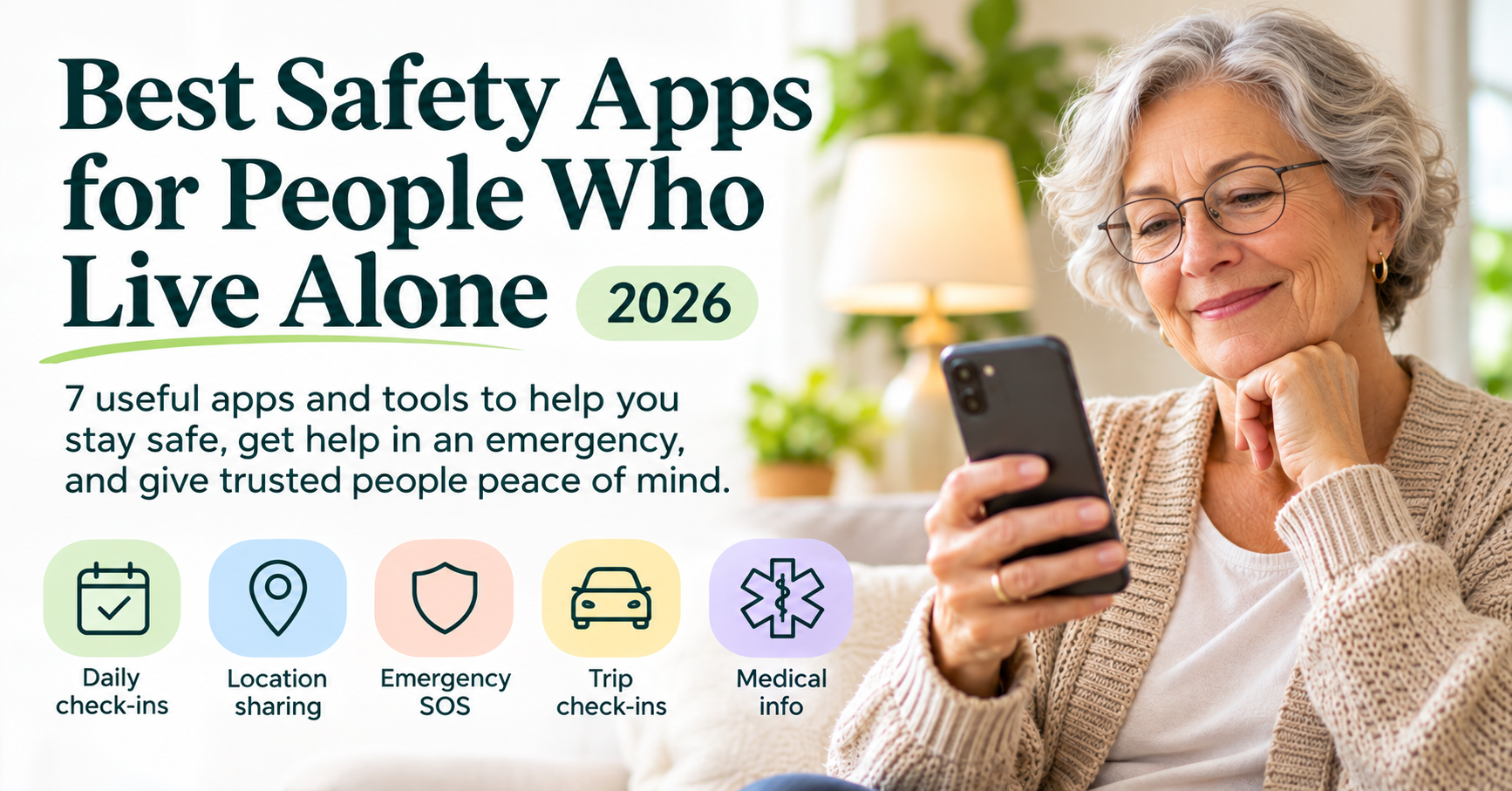
Living alone has a lot going for it. You get to make your own decisions, enjoy your own space, and arrange your days exactly how you like them. But even when you're perfectly happy living independently, there are a few practical questions worth considering. What happens if you need help while you're out alone? Who would know if you didn't make it home as expected? And if something happened to you at home, how long might it take someone to notice?
Fortunately, there are safety apps designed to address these situations. Some let you quickly request emergency assistance, while others share your location with people you trust. A different category of apps focuses on daily check-ins, creating a routine that can alert someone if you unexpectedly stop responding.
The important thing is that these apps don't all do the same job. An emergency SOS app may be excellent when you can actively request help, but it might not be useful if you're unable to reach your phone. A location-sharing app can show someone where you are, but it doesn't necessarily tell them whether you're okay.
In this guide, we'll compare seven safety apps and tools for people who live alone, explain what each does best, and help you decide which combination makes sense for your lifestyle. The goal isn't to turn independent living into a complicated safety operation. It's to put a few useful safeguards in place so you can get on with enjoying your life.
Quick Comparison: Best Safety Apps for Living Alone
App or tool | Best for | How it works | Free option? |
|---|---|---|---|
Alrightly | Daily safety check-ins without continuous location tracking | Alerts trusted contacts when a scheduled check-in is missed | Yes |
Apple Check In | Letting someone know you arrived safely | Notifies a chosen contact if a trip or timed check-in isn't completed | Included on compatible iPhones |
Life360 | Ongoing location sharing with trusted people | Shares location and offers place alerts and other safety features | Yes |
Noonlight | Requesting emergency assistance | Connects a triggered safety alarm with a professional dispatcher | Yes |
Google Personal Safety | Emergency SOS and activity-based safety checks on supported Android phones | Provides emergency actions, safety checks, and location sharing | Included on supported devices |
Google Maps Location Sharing | Temporarily sharing your whereabouts | Lets selected people see your location for a chosen period | Yes |
Apple Medical ID and Emergency SOS | Making emergency information accessible and requesting help | Stores emergency details and provides emergency calling features | Included on compatible iPhones |
These aren't seven interchangeable versions of the same product. They're different tools for different situations, and several can work together. Features and availability may vary by device, country, and subscription, so check the current requirements before relying on any app.
1. Alrightly: Best for Daily Safety Check-Ins Without Continuous Tracking
Best for: People who live alone and want someone to notice if they unexpectedly miss a daily check-in.
One concern that comes up frequently among people who live alone is surprisingly simple: if something happened at home and you couldn't call for help, how would anyone know? You might have wonderful friends, attentive family members, and a busy social life. But unless someone expects to hear from you at a particular time, an unexpected silence could easily go unnoticed.
Alrightly is designed around that specific problem. You establish a scheduled daily check-in and choose trusted contacts who should be notified if you don't complete it. Rather than continuously tracking your location or monitoring your activity, Alrightly focuses on whether an expected confirmation happens.
That distinction is especially useful for people who enjoy their independence and don't want others watching their movements throughout the day. Your friends don't need to know where you went for lunch or how long you stayed at the grocery store. They simply need a way to recognize when an agreed-upon check-in is unexpectedly missing.
How Alrightly works
You create an account, establish your check-in schedule, and select the people you trust to receive notifications. When your check-in is due, you confirm that you're okay using the method available with your plan. If you miss the check-in and the configured grace period expires, your designated contact receives an alert.
The alert doesn't mean an emergency has been confirmed. It means someone should follow the response plan you've agreed on, which might involve calling you, sending a message, or contacting a nearby person if you're unreachable. This makes Alrightly a notification tool rather than a professional emergency response service.
Key features
Scheduled daily safety check-ins
Automatic missed-check-in alerts to trusted contacts
Configurable grace period
No continuous location tracking required
Emergency information card
Activity log and data export
Additional contacts and notification options with Alrightly Plus
Pricing
Alrightly offers a free plan with one daily check-in, one trusted contact, and email-based check-ins and alerts. Alrightly Plus costs $5.99 per month or $59.99 annually and includes up to two daily check-ins, up to five trusted contacts, push notifications, and SMS options for US phone numbers.
What to consider
Alrightly works best when your trusted contacts understand what to do after receiving an alert. It doesn't automatically detect a fall, diagnose a medical emergency, or dispatch first responders. You'll also need to complete your scheduled check-ins for the system to work as intended.
Why it's a good fit for living alone: It addresses the possibility that something could happen when you're unable to request help, without requiring someone to monitor your daily activities.
2. Apple Check In: Best for Letting Someone Know You Arrived Safely
Best for: iPhone users who want to share a temporary safety check during a trip, outing, or specific activity.
Apple's Check In feature is built into the Messages app on compatible iPhones. It allows you to tell a chosen person that you're heading somewhere or completing an activity, then automatically notify them if you don't finish as expected. It's particularly useful when you're traveling alone, meeting someone new, or walking home at night.
For example, you might start a Check In before leaving a friend's house. When you arrive at your destination, the feature can notify your chosen contact that you've arrived. If you don't reach your destination as expected and don't respond to prompts, the feature can share selected information to help your contact follow up.
Apple also offers a timer-based Check In that doesn't require a destination. This can be useful for an activity with a predictable duration, such as an evening walk or an appointment. In either case, you actively start the Check In for that particular occasion.
Key features
Destination-based Check In
Timer-based Check In
Automatic completion notifications
Alerts when a Check In isn't completed as expected
Optional sharing of location, battery, and other device information
Integration with Apple's Messages app
Pricing
Apple Check In is included with compatible iPhones and doesn't require a separate subscription. Both the sender and recipient need supported Apple devices running iOS 17 or later.
What to consider
Apple Check In isn't designed as a recurring daily check-in service. You need to initiate a Check In for each trip or activity, which means it won't automatically notice if you unexpectedly fail to start one. It's also limited to Apple's supported device ecosystem.
Why it's a good fit for living alone: It offers a simple way to let someone know you've completed a particular journey or activity without sharing your location indefinitely.
3. Life360: Best for Ongoing Location Sharing With Trusted People
Best for: People who want selected friends or family members to have ongoing access to their location.
Life360 is a family location-sharing and safety app that allows members of a private group, called a Circle, to see one another's locations. It also offers features such as place alerts, driving-related safety tools, and crash detection. Although it's often marketed to families, its features may also be useful to adults who live alone and want a trusted person to know where they are.
For example, someone who regularly drives long distances alone might appreciate having a family member who can see their approximate whereabouts. A person who frequently travels between home and work might find place notifications helpful. These features can provide useful context when someone becomes unexpectedly difficult to reach.
The main difference from a daily check-in app is that Life360 focuses heavily on location information. Knowing where someone's phone is located can help in certain situations, but it doesn't necessarily establish whether that person is safe or needs assistance.
Key features
Ongoing location sharing within private Circles
Place arrival and departure alerts
Location history, depending on plan
SOS alerts
Crash detection, subject to device and operating conditions
Additional driving and emergency assistance features on eligible plans
Pricing
Life360 offers a free plan with location-sharing and selected safety features. Paid plans provide additional capabilities, with prices and plan names varying by country.
What to consider
Location sharing requires a level of access that some independent adults may not want to provide. Even when everyone agrees to participate, it's worth discussing boundaries around when and why someone will look at another person's location. Crash detection and location-based features also depend on device permissions, connectivity, and other technical conditions.
Why it's a good fit for living alone: It can be useful when knowing your whereabouts is an important part of your emergency safety plan when you live alone, especially during frequent travel or driving.
4. Noonlight: Best for Requesting Emergency Assistance
Best for: People who want a discreet way to request professional emergency assistance when they feel unsafe.
Noonlight approaches personal safety differently from location-sharing and daily check-in services. Its core feature is a safety button that can be activated when you feel uncomfortable or believe you may need help. If you release the button and don't enter your cancellation PIN, the app initiates an alarm process involving professional dispatchers.
Imagine walking through an unfamiliar area at night and feeling uneasy about someone nearby. You may not be ready to call emergency services, but you want a way to initiate assistance quickly if the situation changes. Noonlight's safety button is designed for that kind of moment.
When an alarm is triggered, Noonlight's dispatchers attempt to contact you and can arrange emergency assistance when appropriate. The service uses available location information to support the response. Exact functionality and availability depend on your device, location, and service plan.
Key features
Discreet safety button
PIN-based alarm cancellation
Professional dispatcher contact after an alarm
Location information to assist emergency response
Additional safety features depending on plan and platform
Pricing
Noonlight advertises a free Basic plan that includes its core safety button. Additional features are available through paid options, with current pricing and availability listed on its website.
What to consider
Noonlight is primarily designed for situations in which you actively initiate a safety alarm. It isn't a substitute for a scheduled daily check-in system that notices an unexpected absence. If you're incapacitated and unable to activate the service, its basic safety button may not address that situation.
Why it's a good fit for living alone: It provides another way to request help when you're alone and feel that your immediate safety may be at risk.
5. Google Personal Safety: Best for Android Emergency Features
Best for: Android users who want built-in emergency tools and temporary safety checks.
Google's Personal Safety features provide several ways to prepare for emergencies on supported Android devices. Depending on the phone, these may include Emergency SOS, emergency information, emergency sharing, and Safety Check. Some features are available through a dedicated Personal Safety app, while others appear in the phone's safety settings.
One particularly useful feature is Safety Check. You can schedule a check for a specific activity and choose what should happen if you don't confirm you're safe when the time expires. If you fail to respond, the feature can begin sharing emergency information with selected contacts.
This makes Google's Safety Check somewhat similar to Apple's timer-based Check In. Both are useful for planned activities, but neither should automatically be assumed to provide a recurring daily safety routine. You need to understand how the feature starts, ends, and notifies contacts on your particular device.
Key features
Emergency SOS
Emergency contact information
Safety Check for time-limited activities
Emergency location sharing
Emergency information accessible to responders
Additional capabilities on certain supported devices
Pricing
Google's Personal Safety features are included on supported Android devices. Availability varies by phone model, Android version, and region.
What to consider
Not every Android phone offers the same features or settings. Emergency sharing may require internet access and location permissions, and a safety check must be configured before the activity. Review your device's instructions and test the non-emergency portions of the setup before relying on it.
Why it's a good fit for living alone: It gives Android users access to useful emergency tools without necessarily downloading a separate safety service.
6. Google Maps Location Sharing: Best for Temporary Location Sharing
Best for: People who occasionally want someone to know where they are without subscribing to a dedicated safety app.
Google Maps offers location sharing that lets you choose who can see your real-time location and how long that sharing continues. It's a practical option for situations such as traveling alone, driving to an unfamiliar destination, or meeting a friend in a new city. Because many people already use Google Maps, the feature may be easier to adopt than an entirely new app.
For example, you could share your location with a friend during a long drive and stop sharing after you arrive. If your plans change, the person you've selected can see your phone's reported location, subject to connectivity and device settings. You can also control who has access and discontinue sharing when you no longer need it.
The important limitation is that location sharing provides information, not necessarily a safety assessment. Someone could see that your phone is at home without knowing whether you're okay. Likewise, location information won't automatically ensure that someone notices if you unexpectedly stop communicating.
Key features
Real-time location sharing
Control over who can see your location
Time-limited sharing options
Location access across supported devices
Battery and related device information in some sharing views
Pricing
Google Maps location sharing is available without a separate paid safety subscription.
What to consider
You need to choose who receives your location and how long sharing continues. Depending on your settings, recipients may see location and device information beyond what you intended. Discuss the purpose of sharing in advance, especially if you're using it with family members or other trusted contacts.
Why it's a good fit for living alone: It offers a straightforward way to share your whereabouts during specific activities without committing to ongoing monitoring.
7. Apple Medical ID and Emergency SOS: Best for Emergency Information and Fast Access to Help
Best for: iPhone users who want important medical information available in an emergency and a convenient way to contact emergency services.
Not every useful personal safety tool needs to be a separate app. Apple's Medical ID and Emergency SOS features are built into the iPhone ecosystem and can play an important role in an overall safety plan. Medical ID allows you to store information such as allergies, medications, medical conditions, and emergency contacts.
When configured appropriately, Medical ID information can be accessible from a locked iPhone, which may help responders who need important details. Emergency SOS provides ways to contact emergency services quickly, and supported devices can notify designated emergency contacts after an emergency call. Some iPhone models also support additional emergency communication features, including satellite connectivity in eligible regions.
These tools are especially useful because they address situations that daily check-ins and location sharing don't necessarily cover. If you need immediate help, being able to initiate an emergency call is more important than waiting for a scheduled check-in. If responders arrive, accessible medical information may help them understand relevant circumstances.
Key features
Medical information stored in Medical ID
Emergency contacts
Emergency calling shortcuts
Optional sharing of emergency information
Emergency contact notifications after qualifying emergency calls
Additional emergency features on supported devices
Pricing
Medical ID and Emergency SOS are included with compatible iPhones. Certain connectivity features depend on device model, region, and service availability.
What to consider
Medical ID must be set up and kept current to be useful. Emergency SOS also depends on the capabilities of your device and available communication networks. These features aren't a substitute for a system that notices if you become unable to initiate a call.
Why it's a good fit for living alone: It helps you prepare for situations in which you can request emergency assistance or need responders to access important information.
Which Safety App Is Best for Your Situation?
The best safety app depends less on your age or living arrangement than on the specific problem you're trying to solve. Someone who travels frequently may need a different set of tools from someone who works from home and rarely shares their location. It's also reasonable to use more than one app, provided each serves a clear purpose.
If you're worried nobody would notice an emergency at home
Consider a scheduled daily check-in service such as Alrightly. Its purpose is to make an unexpected missed confirmation noticeable to someone you trust. This is particularly relevant if you live alone, don't communicate with the same person every day, and want a routine that doesn't require ongoing location tracking. Other uses include keeping an aging parent safe while respecting their independence.
The important next step is establishing a response plan with your contacts. An automated notification is useful only if the recipient knows what it means and how to respond.
If you walk, travel, or meet new people alone
Apple Check In, Google Safety Check, and Noonlight can be useful for specific outings or situations. Apple and Google's tools help you establish an expected endpoint or confirmation, while Noonlight focuses on initiating emergency assistance. Your choice should depend on whether you're primarily trying to confirm your arrival or request help if you feel unsafe.
Before relying on any of these tools, make sure you understand how to activate them and what happens if you lose connectivity. A feature that's difficult to operate under stress may not be the right choice for your routine.
If you want family or friends to know where you are
Life360 and Google Maps location sharing provide ways to share your whereabouts with selected people. Life360 may be a better fit for ongoing location-sharing arrangements, while Google Maps can be particularly convenient for occasional trips. Neither should be treated as definitive proof that someone is safe simply because their location is visible.
Consider how much location information you're comfortable sharing and whether that level of access is necessary. A temporary sharing arrangement may accomplish your goal without requiring continuous access.
If you want to prepare for a medical emergency
Start with the emergency features already available on your phone, including Medical ID or Android emergency information. Make sure your contacts are current and that you've configured the emergency options appropriate to your device. If you have medical needs that require rapid access to professional help, a dedicated medical alert service may also be worth considering.
Daily check-in apps can complement those tools, but they serve a different purpose. A scheduled check-in may help someone notice an unexpected absence; it isn't a replacement for immediate emergency assistance. For more information, see our guide on comparing daily check-ins and medical alert systems.
The Most Important Difference: Asking for Help vs. Being Unable to Ask
One of the biggest gaps in personal safety planning is assuming that having a way to call for help solves every problem. Emergency SOS buttons, safety alarms, and location-sharing tools can be extremely useful. But many of them depend on you taking an action, or on another person already knowing there's a reason to look for you.
Consider a person who lives alone and experiences an unexpected medical event at home. If they're able to reach their phone, Emergency SOS may help them contact assistance. If they're unable to use their phone, however, having an emergency calling feature doesn't necessarily mean anyone will know something happened.
Now consider a scheduled daily check-in. If the person doesn't complete an expected confirmation, their trusted contact can receive a notification and begin following the agreed-upon response plan. The system hasn't detected a medical emergency, but it has created a reason for someone to investigate.
This is why different safety tools can complement one another. An SOS feature helps you request assistance when you're able to act. A scheduled check-in helps make an unexpected absence noticeable when you may not be able to initiate contact.
For a more detailed explanation of this distinction, read What Is a Safety Check-In App and How Does It Work?
Do You Need Location Tracking to Stay Safe While Living Alone?
Location tracking can be useful, but it isn't essential to every personal safety plan. If you regularly travel alone, knowing where your phone is located may help someone follow up when you're unexpectedly unreachable. But if your main concern is whether anyone would notice an emergency at home, continuous location sharing may not address that question particularly well.
There's also a personal preference to consider. Some people are comfortable sharing their location with a partner, close friend, or family member. Others value being able to go about their day without anyone having access to their movements, even when the people involved have good intentions.
Neither preference is inherently more responsible. The important thing is to choose technology that addresses your actual needs while respecting your boundaries. A safety plan should support your independence, not make you feel as though you're asking permission to live your life.
For people who prefer a less intrusive approach, scheduled check-ins offer one alternative. You can establish a predictable confirmation routine without sharing a continuous record of where you've been.
Free Safety Apps vs. Paid Safety Apps: What Are You Actually Paying For?
Several of the tools in this guide offer useful features at no additional subscription cost. Apple Check In, Medical ID, Google Maps location sharing, and many Android emergency features are available on compatible devices. Alrightly, Life360, and Noonlight also offer free options, although their included features differ.
Paid plans may add more contacts, additional check-ins, professional dispatch services, extended location history, or other capabilities. The value of those upgrades depends on what you're trying to accomplish. Paying for a larger collection of features doesn't necessarily make a product better suited to your needs.
For example, if your main goal is to have one trusted friend receive a notification when you miss a daily check-in, a free plan may be sufficient. If you need professional follow-up, multiple notification recipients, or specialized emergency services, a paid option may offer capabilities that matter to you.
Before subscribing, ask whether the paid feature solves a problem you actually have. It's also worth checking cancellation terms, device compatibility, geographic restrictions, and what happens when a notification or alarm is triggered.
Five Questions to Ask Before Choosing a Safety App
1. What event is the app supposed to notice?
Different tools respond to different triggers. Some require you to press a button, some respond to an incomplete journey, and others notify contacts after a missed scheduled check-in. Understanding the trigger is the quickest way to determine whether an app addresses your concern.
2. What happens after an alert?
An alert might go to a friend, a family member, or a professional dispatcher, depending on the service. Some apps simply provide information and leave all follow-up decisions to your contacts. Others include additional escalation or response services, sometimes for an extra fee.
3. Does someone have to remember to start it?
A trip-based Check In is useful only when you activate it. A safety button helps when you're able to use it. A recurring daily check-in creates an expected event on a schedule, although you still need to participate by completing the check-in.
4. How much personal information does it collect?
Consider whether the app needs continuous location access, motion data, medical information, or other sensitive details. Review what contacts can see and whether you can limit or stop sharing. The least intrusive tool that adequately addresses your needs may be the easiest to use consistently.
5. Will it fit into your everyday routine?
A complicated system may look impressive but become frustrating after a few weeks. Choose something you can comfortably use without turning safety into a daily chore. If the app involves trusted contacts, make sure they're comfortable with their role as well.
How to Build a Simple Safety App Setup for Living Alone
You probably don't need seven different safety apps. In fact, a simpler combination may be easier to maintain and more dependable. Start by identifying the situations you're most concerned about, then select tools that address those situations without duplicating unnecessary features.
A practical setup might include three layers:
Immediate emergency assistance. Configure your phone's Emergency SOS features and emergency information so you have a way to request help when you're able to act.
Activity-specific protection. Use Apple Check In, Google Safety Check, or temporary location sharing when you're traveling, walking alone, or doing something that would benefit from an expected arrival or completion time.
A daily backup plan. If you want someone to notice an unexpected absence from your normal routine, establish a daily check-in and agree on what trusted contacts should do when a confirmation is missed.
These layers address different situations rather than trying to make one app do everything. You can add or remove tools as your circumstances change, keeping the overall arrangement manageable.
Technology is only one part of the plan. You should also make sure your trusted contacts know how to reach you, who else they can contact, and what circumstances warrant emergency assistance. Our Living Alone Safety Checklist: 20 Things Everyone Who Lives Alone Should Have in Place covers the broader preparations worth considering.
Common Mistakes to Avoid When Using Personal Safety Apps
Assuming an app automatically knows when you're in trouble
Most safety apps respond to specific actions, schedules, or device signals. They don't have a complete understanding of your well-being, and they may not recognize every emergency. Read the service's explanation of what triggers an alert and what limitations apply.
Choosing a location tracker when you really need a check-in system
Knowing where your phone is doesn't necessarily tell someone whether you're okay. If your concern is that an unexpected absence could go unnoticed, a scheduled check-in may be more directly relevant. Location sharing can still be useful, but it solves a different problem.
Adding emergency contacts without discussing the arrangement
A friend might be willing to receive an alert but have no idea what you expect them to do afterward. Explain what the notification means, how you'd like them to contact you, and when they should involve someone nearby or emergency services. Clear expectations make the system more useful for everyone.
Forgetting about connectivity and battery limitations
Phone-based safety tools depend on devices, permissions, and communication networks. A dead battery, disabled notification, or loss of service can affect how a feature works. Understand the limitations of your chosen tools and avoid treating any single app as a guaranteed emergency response system.
Making safety more intrusive than it needs to be
You don't necessarily need cameras, constant tracking, or a complicated monitoring arrangement to have a useful safety plan. Begin with the concern you're trying to address and choose an appropriately limited solution. For many independent adults, the most sustainable arrangement is one that works quietly in the background of an otherwise ordinary life.
Frequently Asked Questions About Safety Apps for People Who Live Alone
The Best Safety App Is the One That Solves Your Actual Problem
Living alone doesn't mean you need to be monitored, and it certainly doesn't mean you have to give up the independence you enjoy. But having a practical safety plan can make everyday life easier to navigate, especially when you know what you would want to happen if something unexpected occurred.
The most useful approach is to think about what you want someone to know, when you want them to know it, and what should happen next. Emergency SOS features help you request assistance. Location-sharing tools help trusted people know where you are. Scheduled daily check-ins help make an unexpected absence noticeable.
You may find that one of these tools is enough, or that a simple combination fits your life better. Either way, the goal is the same: to build a safety net that supports your independence rather than getting in the way of it.
If you'd like a straightforward way for someone you trust to be notified when you unexpectedly miss a daily check-in, explore Alrightly. It's designed to make that one important part of living alone a little easier, without requiring continuous location tracking.