Aging Parents & Family
Daily Check-Ins for Seniors: Calls, Texts, Apps, and Other Options
October 29, 2026 · The Alrightly Team
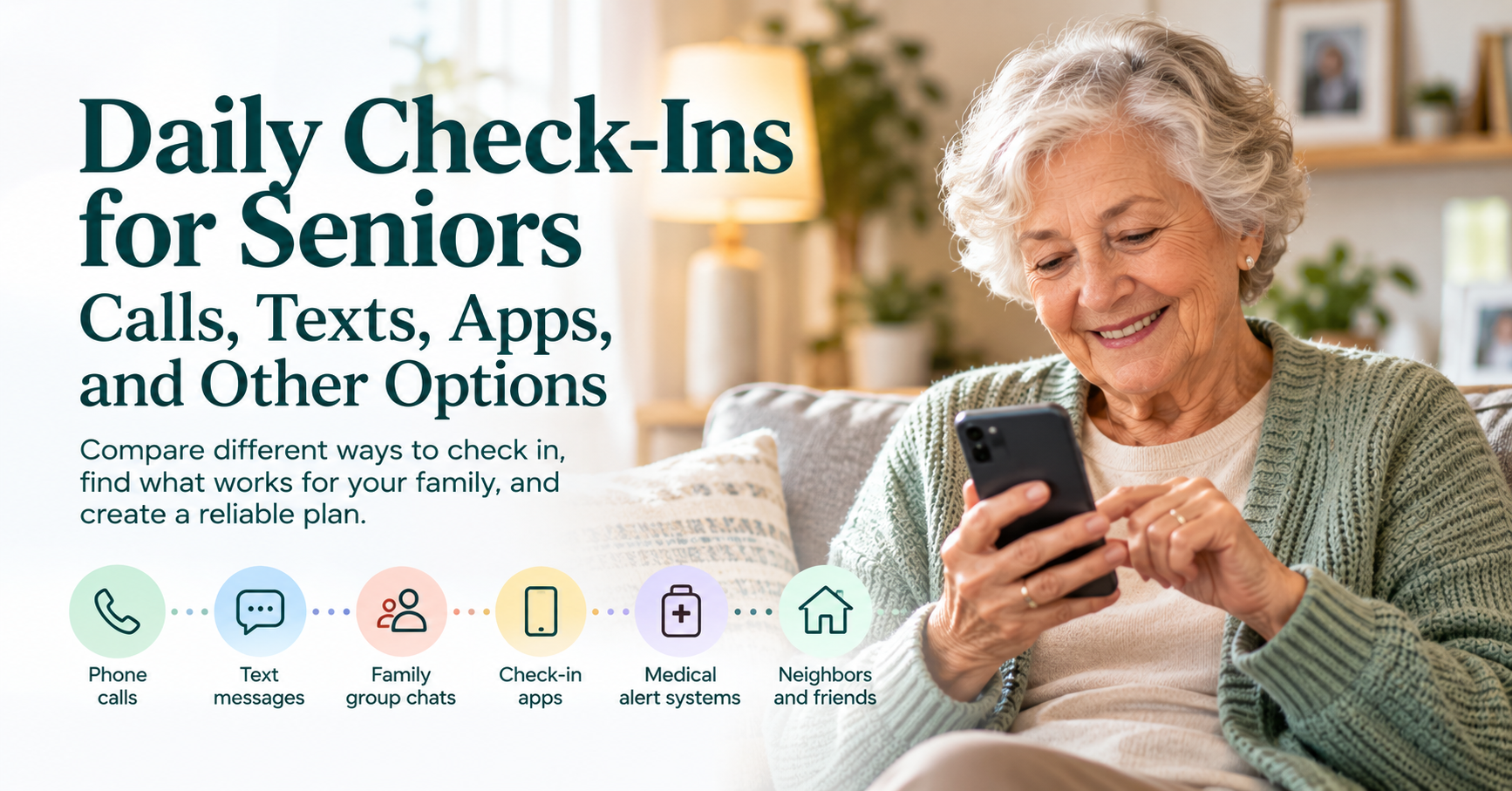
A daily check-in with an older parent or loved one can be as simple as a morning text: “I'm up. All good.” For another family, it's a phone call every evening. Someone else might use an automated calling service, a safety check-in app, a neighbor, or a medical alert device.
There isn't one daily check-in system that's right for every senior. The best option depends on why the check-in exists in the first place, what the older adult wants, what technology they're comfortable using, and what should happen if they don't respond.
There's also an important distinction that families often miss. Some check-ins require another person to remember to initiate them. Others are built around an expected signal and make its absence noticeable. Understanding that difference can help you choose a daily check-in that actually works.
What Is a Daily Check-In for Seniors?
A daily check-in is a regular way of confirming that an older adult is okay. It might happen through a phone call, text message, app, automated service, neighbor visit, or another agreed method. The check-in doesn't necessarily need to be long. Its purpose may simply be confirmation: Everything is normal today.
Daily contact can serve other purposes too. A phone conversation can provide social connection. A family member might ask about medications or an upcoming appointment. A neighbor stopping by might notice something a text message wouldn't reveal. Those are useful benefits, but they're different from the narrow safety function of a check-in.
If the purpose is safety, the most important question is usually not how much information the check-in provides. It's what happens when the expected check-in doesn't happen.
First, Decide What You're Trying to Accomplish
Before choosing a method, ask why you want a daily check-in at all. Perhaps your parent lives alone and you'd simply like a reliable way to know they're okay. Maybe they're recovering from surgery and temporarily need more frequent contact. They might have a health condition that creates a specific concern, or perhaps you live several states away and realize nobody would necessarily notice quickly if something interrupted their normal routine.
You may also be looking primarily for social contact. That's a legitimate goal, but it may lead to a different solution. The National Institute on Aging recommends regular phone or video contact as one way family members can help older adults stay socially connected. It also suggests involving trusted friends or family members who live nearby when you can't visit frequently.
A safety check-in and a social call can overlap, but they don't have to be the same thing. Separating those goals can make it much easier to choose the right system while respecting your parent's independence.
Initiated Check-Ins vs. Expected Check-Ins
Imagine that you call your father every morning at 9:00. That's an initiated check-in: the system begins when you take an action. If you call and Dad answers, you know he's okay. If you call and he doesn't answer, you notice the absence and decide what to do next.
Now imagine a different arrangement. Your father agrees to check in each morning by a certain time. When he does, everything continues normally. If the expected check-in doesn't happen, that absence becomes the signal that starts the follow-up process. That's an expected check-in.
The distinction seems small, but it changes the structure of the safety net. With an initiated check-in, the person doing the checking has to remember. With an expected check-in, the system is designed around noticing when the expected signal is missing.
Neither model is inherently better. A daughter who loves calling her mother every morning may have no reason to change that routine. But if the purpose is creating a dependable safety system, it's worth asking whether the check-in still works on the morning the daughter oversleeps, gets pulled into a meeting, has a sick child, travels, or simply forgets. The best system is the one your family can realistically rely on.
Option 1: A Daily Phone Call
A regular phone call is probably the most familiar form of check-in. Its biggest advantage is that it provides more than confirmation. You can hear your parent's voice, have an actual conversation, and sometimes notice changes that wouldn't come through in a one-word text. It also requires little or no new technology.
For families who genuinely enjoy talking every day, that may be ideal. The National Institute on Aging specifically includes scheduled daily, weekly, or biweekly calls and video chats among the ways families can help older adults stay connected.
The disadvantage is reliability if the call is supposed to function as a safety system. Someone has to remember to make it every day, and vacations, work, appointments, time-zone differences, and ordinary life can interrupt even well-established routines. There's another issue too: not answering the phone is normal. Your parent could be showering, gardening, driving, talking to someone else, or simply not interested in answering at that moment.
A missed call therefore doesn't necessarily carry much information unless the two of you have agreed that the call is an actual check-in and have established what should happen when it's missed.
Best for: Older adults and family members who already enjoy frequent calls and want social connection along with confirmation.
Potential drawback: The system depends on the caller remembering, and a missed call can be ambiguous.
Option 2: A Daily Text Message
Texts can make a wonderfully lightweight check-in. A parent might send “Morning!” every day, or you might send a quick message and get a thumbs-up in return. Some families use a group chat so several people can see the response without requiring separate conversations.
This approach can feel less intrusive than a phone call because the person doesn't have to stop what they're doing and have a conversation. It also uses technology many older adults already use. AARP's 2026 technology research found that texting is now the leading communication method among adults 50 and older, which is a useful reminder not to assume that older adults automatically prefer phone calls to digital communication.
The weakness is similar to a phone call: someone has to know what counts as a check-in, and someone has to notice when it doesn't happen. A message sitting unread in a family group chat isn't much of a safety system if everyone assumes somebody else is paying attention.
Best for: People who already text regularly and want a quick, low-effort confirmation.
Potential drawback: Messages can easily be missed, and responsibility for noticing a missing response may be unclear.
Option 3: A Family Group Chat
A group chat can expand a simple text check-in into a small support network. Instead of one adult child being responsible every day, several family members or friends can see the check-in. That can reduce the burden on one person and make it easier for someone to notice when the usual signal is missing.
It can also feel natural. The group doesn't have to exist solely for safety. People can share photos, jokes, family news, and everyday conversation while using one predictable message as the check-in signal.
The problem is that group communication can create diffused responsibility. Five people seeing that Mom hasn't posted doesn't necessarily mean one of those five people will act; each may assume someone else has already called. If you use a group chat as part of a safety plan, decide who takes responsibility when the expected message doesn't arrive.
Best for: Families or friend groups that already communicate regularly and are willing to establish clear responsibility.
Potential drawback: Everyone can see the missing check-in while nobody actually owns the follow-up.
Option 4: A Neighbor or Friend
Technology isn't required for a good check-in. A neighbor who sees your father getting his newspaper each morning or a friend who meets your mother for coffee several times a week may already be part of an informal support network. For someone who doesn't like apps or structured daily calls, human contact may feel far more natural.
A nearby person also provides something distant family members can't: local capability. If something seems wrong, they may be able to knock on the door. The weakness is that informal routines can be unreliable when nobody has explicitly agreed that they're part of a safety plan. Your neighbor might be away for the weekend, the coffee date might be canceled, or someone may notice the curtains haven't opened and assume your parent decided to sleep late.
If a friend or neighbor is going to play an actual safety role, your parent should know and agree to it, and everyone should understand what is expected.
Best for: Older adults with strong local relationships who prefer a human, low-tech safety net.
Potential drawback: Informal observation isn't the same as a reliable check-in unless responsibilities are clear.
Option 5: Automated Phone or Text Check-In Services
Automated services can provide a check-in without requiring a family member to initiate it every day. The exact process varies by service. Some place an automated call or send a text at a scheduled time and ask the participant to respond. If the person doesn't respond after additional attempts, the service may notify a designated contact.
This isn't merely a commercial model. Maryland's Senior Call Check and Social Connections program, for example, offers eligible residents scheduled automated calls or texts. If a participant doesn't respond, the system makes additional attempts before escalating to an alternate contact and, if necessary, a non-emergency service provider.
Automated calls can be particularly useful for someone who has a landline, flip phone, or simply prefers answering a telephone to using an app. They also remove one of the weaknesses of family-initiated calls: nobody has to remember to place the call each day.
The tradeoff is that some people dislike automated calls or find them impersonal. Services also vary significantly in what happens after a missed response, so it's important to understand the escalation process rather than assuming all automated check-in services work the same way.
Best for: Someone who prefers telephone or text interaction and wants a predictable check-in without relying on a family member to initiate it.
Potential drawback: Automated interactions may not appeal to everyone, and escalation procedures vary by service.
Option 6: A Safety Check-In App
A safety check-in app usually turns the expected-check-in model into a structured system. The person checks in through an app or web-based service on an agreed schedule. If they check in, the system records that everything is normal. If they don't, the service follows whatever reminder or notification process it provides.
Different apps work differently. Some focus on a simple daily “I'm okay” action, while others incorporate location information, reminders, professional dispatch, or additional monitoring features. That makes comparison important because “check-in app” doesn't describe one standard product.
A well-designed check-in app can be useful when the goal is narrow: make sure someone notices when an expected signal doesn't arrive. It can remove the need for a family member to remember to initiate contact while allowing the older adult to remain in control of the check-in.
Privacy matters here too. Some families want location information, while others worry location tracking will make their aging parent feel watched. If the actual goal is simply knowing whether someone completed their check-in, continuous location tracking may provide much more information than necessary.
Best for: Independent older adults who are comfortable with simple technology and want a predictable safety signal without continuous monitoring.
Potential drawback: It requires the person to use the service consistently, and features, privacy practices, escalation procedures, and device requirements vary.
Option 7: A Medical Alert System
A medical alert system serves a different purpose from an ordinary daily check-in. Traditional systems typically provide a button or wearable device that a person can use to summon assistance. Some newer systems may also include features such as automatic fall detection, GPS, caregiver apps, or other monitoring capabilities.
For someone with a meaningful fall risk, medical condition, or need for immediate access to emergency assistance, those capabilities may be important. But a medical alert system and a daily check-in aren't interchangeable.
A button-based system is primarily designed around getting help when the user knows they need it and can activate the system. A check-in system is designed around noticing that an expected signal didn't happen. Some people may benefit from both, while someone else may need one but not the other.
Best for: People who need rapid access to assistance because of specific medical or fall-related concerns.
Potential drawback: It may be more equipment and functionality than a healthy, highly independent person needs if the only goal is making an unexpected absence noticeable.
Option 8: Smart-Home Sensors, Cameras, and Location Tracking
Monitoring technology can provide much more information than a traditional check-in. Motion sensors may show activity in the home, door sensors can indicate entrances and exits, GPS systems can show location, and cameras can provide visual information.
For certain situations, those capabilities may address a genuine need. Someone with cognitive impairment and a risk of becoming lost, for example, presents a different safety problem from an independent older adult who simply lives alone. But more information doesn't automatically mean a better safety system.
If the question you're trying to answer is simply, “Is Dad okay today?” you may not need to know what time he left the house, where he drove, when he returned, or how often he walked through the kitchen. AARP's current technology research shows that older adults are actively using technology, but privacy, usefulness, setup, and ease of use remain meaningful considerations. Choosing technology with your parent rather than for them can make the difference between a useful tool and one that feels like surveillance.
Best for: Situations where a specific risk genuinely requires activity, location, or environmental information.
Potential drawback: These systems can collect substantially more information about someone's daily life than a simple safety check-in.
How the Options Compare
Check-in method | Someone must initiate it daily? | Can notice a missed routine? | Social connection | Requires smartphone? | Level of monitoring |
|---|---|---|---|---|---|
Family phone call | Yes | Yes, if caller remembers | High | No | Low |
Text message | Usually | Yes, if someone notices | Low–medium | Usually no; texting phone needed | Low |
Group chat | Usually | Yes, with clear responsibility | Medium–high | Usually | Low |
Neighbor/friend | Depends | Potentially | High | No | Low |
Automated call/text | No | Usually | Low | Not necessarily | Low |
Safety check-in app | No family initiation | Yes | Low | Often, depending on service | Low to moderate |
Medical alert system | No daily family initiation | Different function | Low | Usually no | Varies |
Sensors/tracking/cameras | No | Potentially | None | Varies | Moderate–high |
There isn't a universally “best” daily check-in for seniors because each option solves a somewhat different problem. The useful comparison isn't which option has the most features; it's which one best matches the reason you want a check-in in the first place.
Ask Who Has to Remember
One of the most useful questions when evaluating a daily check-in system is: Who has to remember for this to work?
If your plan is “I'll call Dad every morning,” you have to remember. If the plan is “Dad texts me every morning,” Dad has to remember, and you have to notice if he doesn't. If the plan is a group chat, someone still needs responsibility for noticing the absence. With an automated expected-check-in system, the participant still needs to complete the check-in, but detection of a missed check-in doesn't depend on another person remembering to look for it.
No system eliminates human responsibility completely. Eventually, if something appears to be wrong, a person needs to decide what happens next. The goal is to make the routine reliable enough that ordinary human forgetfulness doesn't create a hole in the safety net.
Decide What a Missed Check-In Actually Means
A missed check-in should not automatically be treated as an emergency. People oversleep, phones die, internet connections fail, plans change, someone leaves the house early and forgets, and technology occasionally doesn't cooperate.
Instead, decide in advance what happens when a check-in is missed. You might first send a text. If there's no response, call. If you still can't reach your parent after an agreed period, contact the nearby neighbor. If circumstances suggest an immediate emergency, escalate appropriately.
Our guide What to Do When an Elderly Parent Doesn't Answer the Phone calls this a No-Response Plan. A missed response is a signal to begin an agreed process, not proof that something bad has happened. Deciding on that process beforehand also means nobody has to invent it while they're worried.
Build in a Reasonable Window
How often should you check on an elderly parent who lives alone? A check-in doesn't have to happen at exactly 8:03 every morning. For many independent people, a window works better. Perhaps the check-in needs to happen sometime before 10 a.m., or once each evening before a particular deadline.
This allows ordinary life to remain ordinary. Your parent can sleep late, shower, make breakfast, walk the dog, or get distracted without turning a slightly different morning routine into an alert. The appropriate window depends on the person and the reason for the check-in; someone temporarily recovering from surgery may want a different arrangement from a healthy 75-year-old who simply likes having a backup plan.
The check-in should fit the person's life rather than requiring their life to reorganize itself around the check-in.
Let the Older Adult Choose the System Too
A daily check-in works better when the person checking in sees value in it. Don't begin with “We're going to start checking on you every day.” Start with the gap you're trying to solve.
You might say, “I realized that if something happened and you couldn't call anyone, we don't really have a way we'd know. What kind of backup plan would feel reasonable to you?” Your parent may prefer a morning text, love the idea of a daily phone call, or prefer an automated system because they don't want to feel obligated to have a conversation every day. They may like an app but strongly object to location tracking.
Those preferences are part of choosing an effective system, not obstacles to work around. The goal is not maximum visibility into an older person's life. It's a reliable safety net that they are comfortable participating in.
Don't Confuse a Safety Check-In With Social Connection
A one-tap “I'm okay” check-in can answer an important safety question, but it cannot replace friendship, conversation, family relationships, community, or companionship. Likewise,