
What it actually looks like
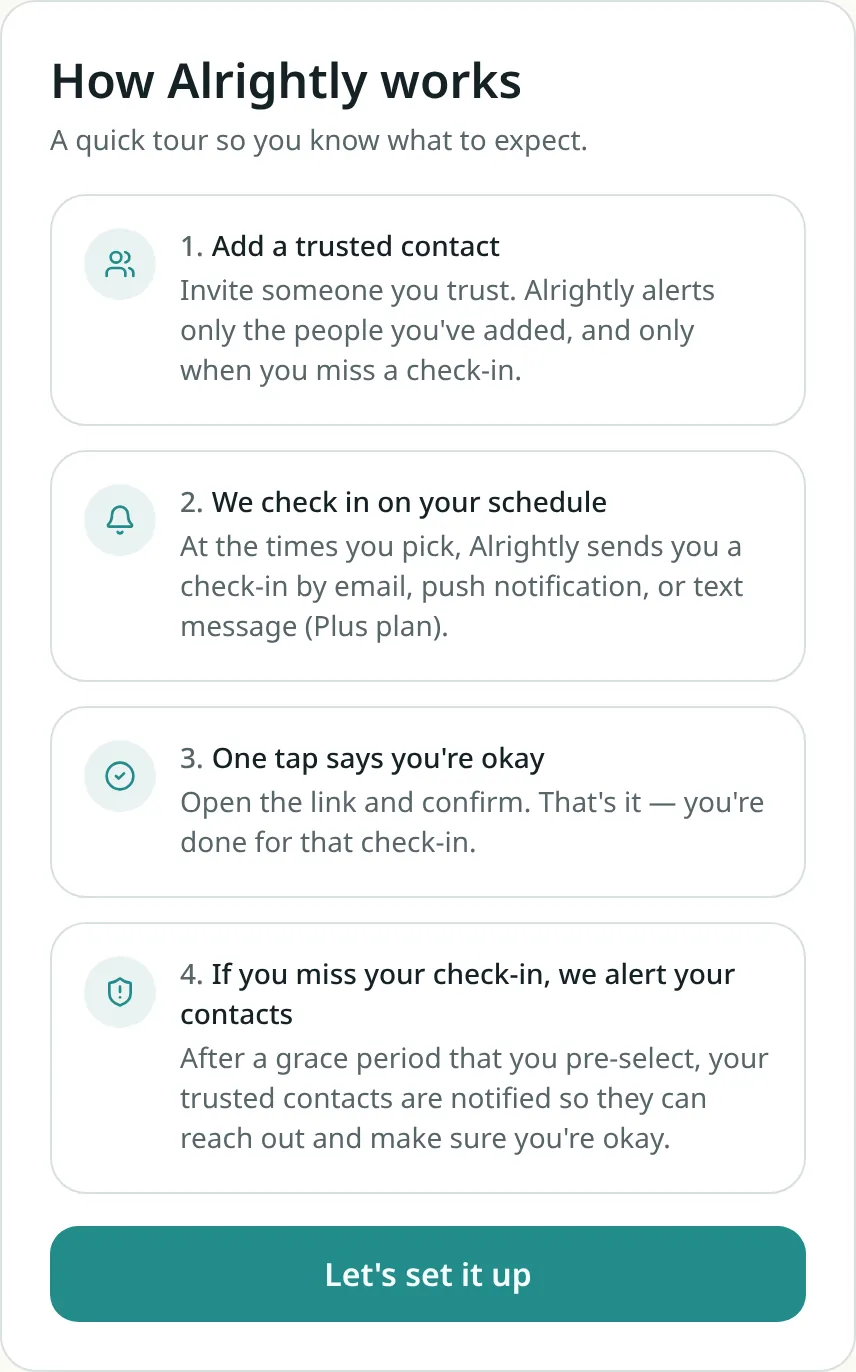
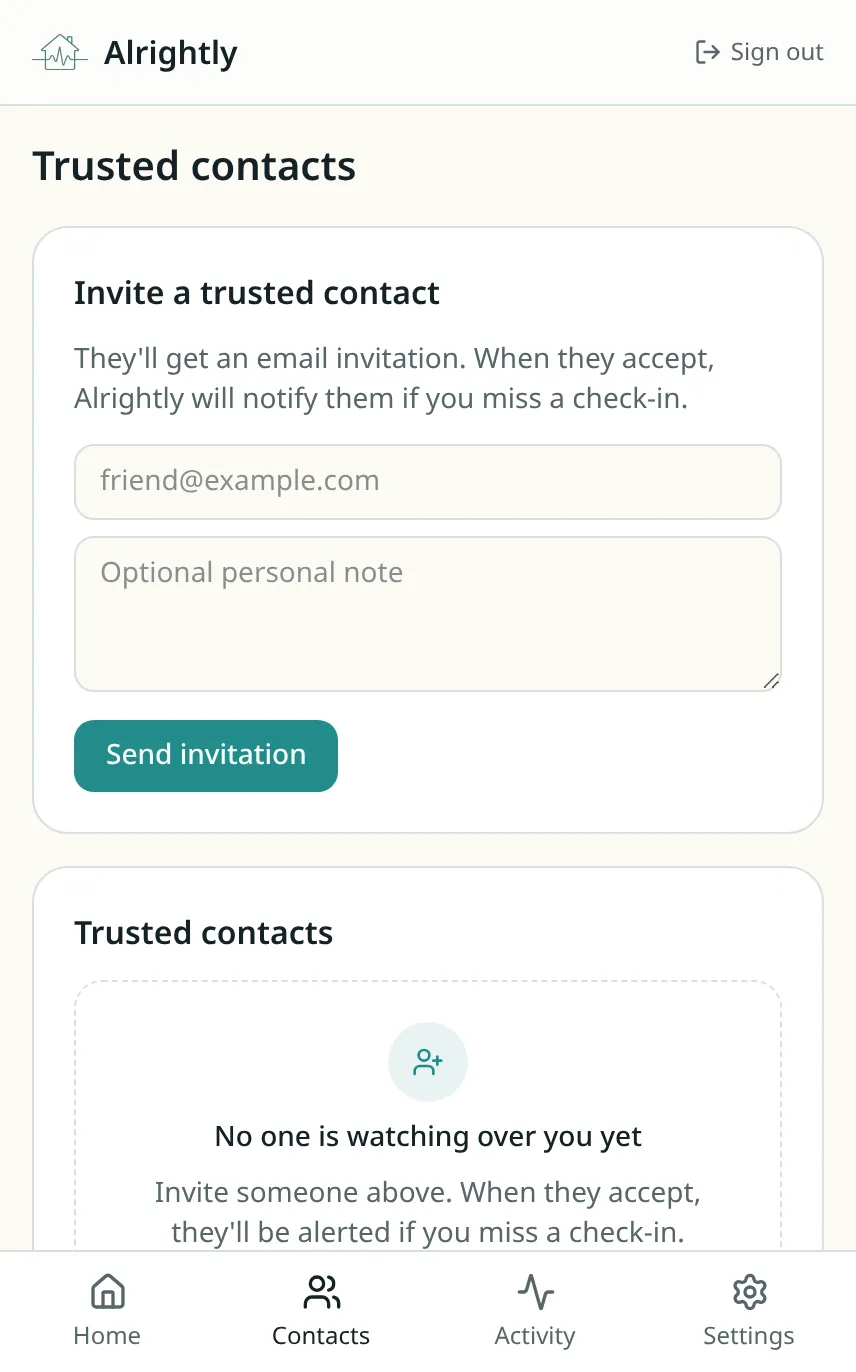
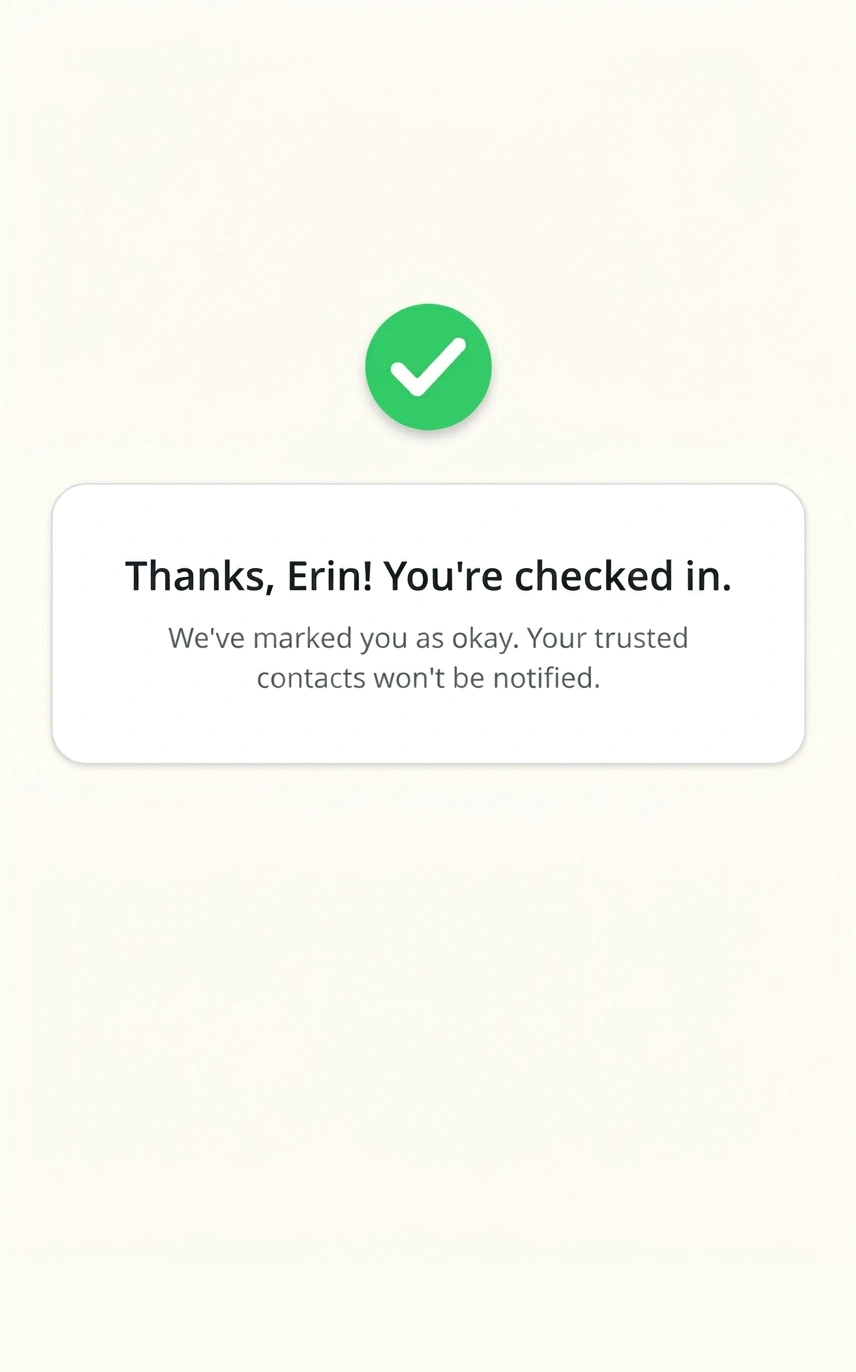
Real screens from Alrightly — no mockups. It's a website, so there's nothing to install unless you want to receive push notifications on your phone.
What happens if you miss a check-in
No sirens, no surprises. Alrightly escalates gently, on the timing you set.
- 1
Your check-in arrives
At the times you picked, you get a link by email, push, or text. One tap and you're done.
- 2
A gentle reminder
If you don't respond, we nudge you again (Plus plan) — plenty of time for a nap, a shower, or a busy morning.
- 3
Your grace period runs
You choose how long to wait before anyone is contacted. Nothing leaves your account until it's up.
- 4
Your trusted contacts are notified
They get a clear message that you missed your check-in, plus your phone number if you've shared it — so they can call or stop by.
Emergency info card — shared only when it matters
Add the details your trusted contacts might need in a real emergency — medications, allergies, building access, pet care, spare-key location — and Alrightly shares them automatically if you miss a check-in.
Your emergency info is encrypted, never sold, and shared only with contacts you choose, only during an active alert. Read our privacy policy.
Essentials + medical
Doctor, allergies, medications, conditions, blood type, insurance — whatever you'd want a responder to know.
Pets & home
Pet care, spare key location, building manager, vehicle info, and access notes for your home.
Private by default
Every field is optional. We only share it during an active alert, and only with the contacts you choose to share it with.
Trusted contacts
Add the people you already trust and who can check on you if something feels wrong. They only receive alerts after they accept your invitation, and you can remove access at any time.
Check-ins on your schedule
Pick the times of day you'd like to be reached. Check-ins arrive by email, push notification, or text message on Plus (US phone numbers only). One tap on the link confirms you're okay.
You're in control
Choose when and how you're reached, how long to wait before alerting your contacts, and what they can see. Turn check-ins on or off, adjust your schedule, and change your mind whenever you need.
Encrypted in transit and at rest
Your data is encrypted when it travels and when it's stored. We can't read your emergency info, and we don't sell or share it with anyone else.
Who uses Alrightly?
Independent seniors
Independence with one small daily reassurance.
Family caregivers
Know they're okay without checking in all day.
People living alone
A quiet safety net, with no tracking.
Lone workers
Lone worker safety check-ins, no GPS.
Solo travelers
A safety net on the road, no tracking.
College students
Independence, minus the check-in texts.
New here? Read the frequently asked questions.
Questions people ask first
What happens if I miss a check-in?
Nothing happens right away. Alrightly waits the grace period you chose, sends reminders, and only then notifies the trusted contacts you added — with a message telling them you haven't responded.
Does Alrightly track my location?
No. Alrightly never tracks your location or movement. It only knows whether you tapped your check-in link.
What is the emergency info card?
It's a private, optional set of details — like medications, allergies, building access, pet care, or spare-key locations — that Alrightly shares with your trusted contacts only if you miss a check-in. You control every field and which contacts can see it.
How do my trusted contacts get notified?
They receive an email or text saying you missed your check-in, along with your phone number if you've chosen to share it. If you choose to share it, they can also see your emergency info card. They only get alerts after accepting your invitation, and you can remove them anytime.
Do I need to install an app?
No. Alrightly works in your browser and sends check-ins by email or text. You can optionally add it to your phone's home screen to receive push notifications.
Is it free?
Yes — the free plan includes daily check-ins and one trusted contact, with no credit card required. Plus adds push notifications, more contacts, and extra check-ins each day.
More detail on the FAQ page.
Safety disclaimer
Alrightly is not an emergency-response service, a medical device, or a fall detector. Text and email delivery can be delayed or interrupted by carrier, provider, or network issues. Please do not use Alrightly as your only safety plan, and call local emergency services if you believe there is an immediate emergency.