
Safety Check-Ins
What Is a Safety Check-In App and How Does It Work?
September 4, 2026 · The Alrightly Team
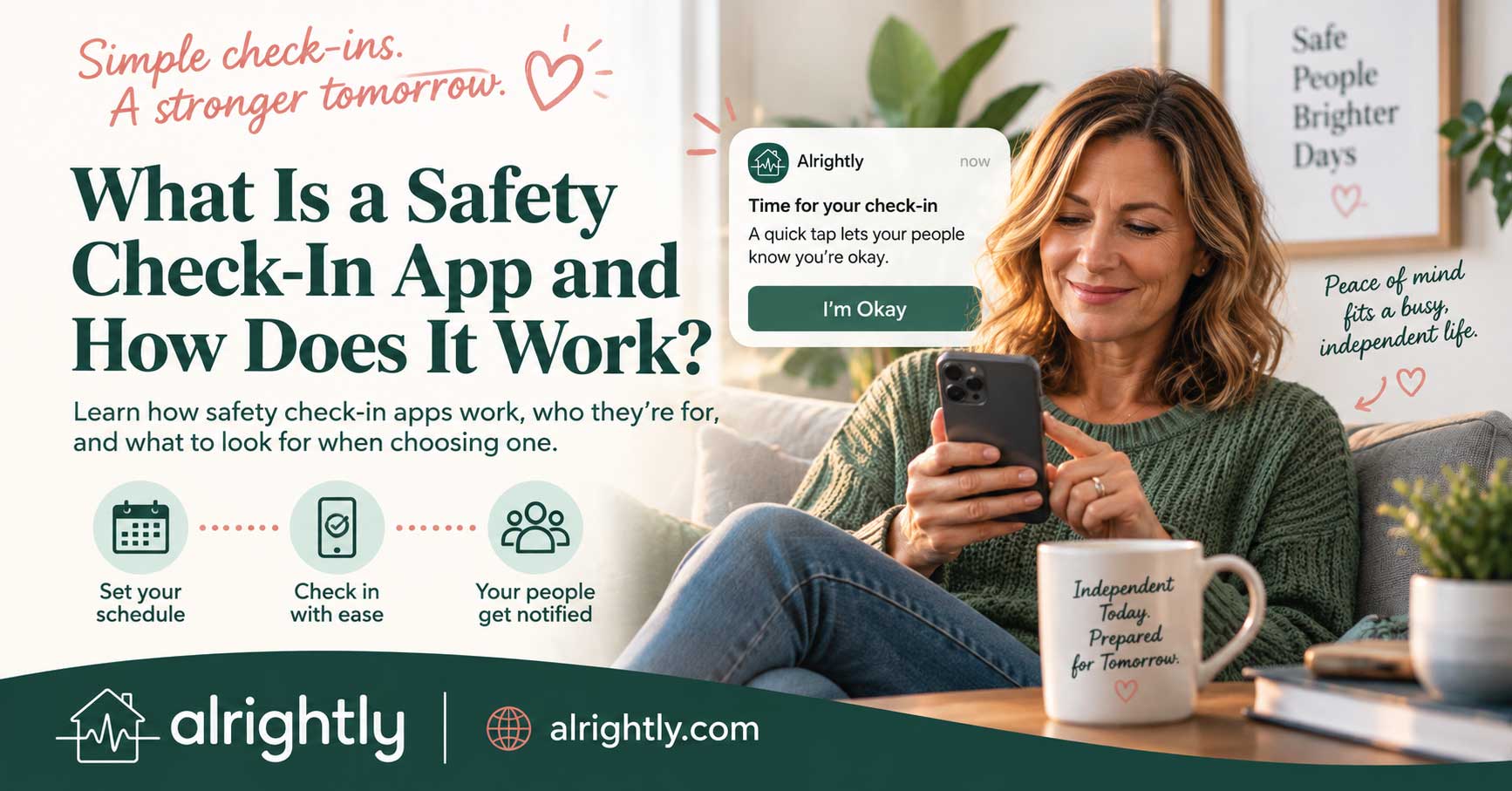
A safety check-in app is a simple way to make sure someone knows when you might need help. You establish a regular time or schedule for confirming that you're okay. When you check in as expected, nothing else needs to happen. If you miss the check-in and don't respond within the app's allotted time, the system can notify one or more people you've chosen.
That makes a safety check-in app fundamentally different from many personal safety tools. You don't necessarily have to press an emergency button at the moment something goes wrong. The system is designed around something much simpler: you were expected to check in, and you didn't.
For someone who lives alone, that distinction can matter. Your friends may happily help you in an emergency, but first they have to know there's an emergency. A check-in system creates a signal that can tell them when your silence deserves attention.
How Does a Safety Check-In App Work?
Although individual apps vary, the basic idea is surprisingly simple. Current check-in services generally ask you to establish a schedule, designate one or more trusted contacts, and regularly confirm that you're okay. If you don't check in by the expected deadline, the app follows whatever missed-check-in process the service provides.
A typical setup looks something like this:
Choose when you want to check in.
Depending on the service, this might be once a day, several times a day, on particular days, or according to another schedule.
Choose your trusted contacts.
These are the friends, relatives, neighbors, or other people you want notified if you miss a check-in.
Check in when expected.
Usually this is deliberately simple, such as tapping a button or responding to a reminder.
Receive a reminder if you forget.
Many systems provide reminders or a grace period before treating a missed check-in as something your contacts should know about.
Your contacts are alerted if you still don't respond.
Depending on the service, that notification might arrive by email, text message, push notification, automated call, or some combination of methods.
The details matter, but the underlying mechanism doesn't require complicated technology. It creates an expectation, watches for the expected response, and takes a predetermined action when that response doesn't happen.
The Important Part Isn't the Check-In. It's What Happens When You Don't.
It's easy to think the main purpose of a safety check-in app is the little button you tap every day. That isn't really the important part.
Imagine you normally exchange messages with a close friend every morning. One day, you don't respond. She probably doesn't immediately assume you're in trouble. Maybe you're in the shower. Maybe you're on a work call. Maybe you slept late. Maybe you're just tired of looking at your phone.
In ordinary life, silence is ambiguous.
A structured check-in changes that. Instead of your friend having to decide whether she should be worried because you haven't responded to a random message, there's an established expectation: you said you would check in by a particular point. You haven't done so, you've had an opportunity to respond to reminders, and now the system is notifying her.
The app hasn't discovered that you're having an emergency. It has discovered something much narrower but still useful: an expected signal is missing.
That gives your silence a meaning it didn't have before.
Why Is That Useful for Someone Who Lives Alone?
When two people share a home, there are countless informal ways they notice changes in each other's routines. Someone doesn't get out of bed. A car hasn't moved. Dinner hasn't been made. A person who is normally downstairs at 7:00 hasn't appeared.
Living alone removes many of those automatic observations. That doesn't make living alone inherently unsafe, and it certainly doesn't mean someone needs to monitor you. It simply means there may be fewer built-in signals when something interrupts your normal routine.
We've called the resulting delay the detection gap: the time between something going wrong and another person realizing you might need help.
Related reading: I Live Alone. What Happens If Something Happens to Me?
A safety check-in can shorten that gap by establishing a point at which someone else should be notified. Instead of relying on a friend eventually wondering why she hasn't heard from you, you decide in advance when your silence should mean something.
A Safety Check-In App Solves a Different Problem From an SOS Button
An SOS or panic button can be extremely useful. If you're conscious, aware that something is wrong, and physically able to activate it, you can use it to ask for help immediately.
A check-in system addresses another scenario: What if you can't ask?
Suppose you become seriously ill, lose consciousness, have an accident, or otherwise become unable to reach your phone and communicate. An emergency button doesn't help much if you can't press it. A check-in system works differently because the trigger is eventually the absence of an expected action rather than an action you take during the emergency.
The two approaches aren't mutually exclusive. Someone may reasonably want both. An SOS feature helps when you can actively ask for assistance; a missed-check-in system provides another layer for situations when you can't.
What Happens After You Miss a Check-In?
This is one of the most important things to understand when comparing safety check-in apps because different services handle missed check-ins differently.
Many systems don't immediately alert your contacts the moment a deadline passes. They may first remind you, provide a grace period, or make additional attempts to get a response. That helps distinguish an actual missed check-in from an ordinary case of forgetting. Current services vary considerably in how they handle this escalation: some notify trusted contacts directly, while others offer additional calling or professional dispatch options.
Once your contacts are notified, their role also varies. With many check-in systems, the trusted person—not the app—decides what should happen next. They might call you, send a text, contact a neighbor, come to your home, or contact emergency services if the circumstances warrant it.
That's why setting up an app is only half of the job. Your people need to know what you want them to do.
What Is a Grace Period?
A grace period is the amount of additional time between missing the nominal check-in deadline and triggering the next stage of the alert process. It's useful because people forget things.
You might be taking a shower when your reminder arrives. Your phone might be in another room. You might be talking to a friend, gardening, driving home, or deeply involved in a movie. None of those situations should necessarily cause your emergency contacts to spring into action.
A well-designed check-in routine therefore needs to balance two competing concerns. Make the grace period too short and ordinary forgetfulness may create unnecessary alerts. Make the entire response window too long and you increase the amount of time that could pass before anyone knows you need help.
There's no universally correct window. The right choice depends on your routine, the reason you're using the system, and how quickly you would want someone notified.
What Happens If I Simply Forget to Check In?
You probably will eventually. That's worth planning for rather than pretending otherwise.
A missed check-in doesn't automatically mean an emergency, which is why reminders and a sensible response plan are important. Your contact's first step might simply be to call or text you. If you answer and say, "Sorry, I was making dinner and completely forgot," the process ends there.
False alarms become more disruptive when the plan is vague. If your friend thinks every missed check-in means she should immediately call 911, the system may quickly become frustrating for everyone. If she knows that the first step is simply trying your phone, an occasional forgotten check-in is much easier to handle.
The goal isn't to create a system that assumes something terrible has happened. It's to create a system that notices when something is unusual and gives a real person the information needed to follow up.
Who Should Use a Safety Check-In App?
Check-in apps are often associated with older adults, but the basic problem they solve isn't age-specific. Current products explicitly market to people living alone, older adults, adult children supporting an older parent who lives alone, pet owners, solo travelers, remote workers, and others who want someone to notice an unexpected silence.
A check-in system may be worth considering if you:
live alone and wonder how long it would take someone to notice if something happened;
live independently and don't want continuous monitoring;
have friends or chosen family who would help immediately if they knew you needed them;
are aging alone or don't have family nearby;
have a parent who lives independently and wants a non-intrusive backup plan;
are temporarily living alone while recovering from surgery, illness, or an injury;
travel alone or regularly spend significant periods by yourself;
have pets and want someone notified if you're unexpectedly unable to care for them.
The common denominator isn't vulnerability. It's simply that there are circumstances in which someone might need help but be unable to ask for it.
You May Already Have the People You Need
This is particularly important for independent adults who already have strong relationships. You may not need a new "support network." You may have a fantastic one.
Your best friend would be at your house in ten minutes. Your sister would get on a plane. Your neighbor has a spare key. Your group chat would organize an entire response operation before most organizations could schedule a meeting about it.
The problem is that none of those people can help with something they don't know about.
In our article I Love Living Alone. I Just Want Someone to Know If Something Happens, we call this the notification gap: the distance between having people who would help and those people knowing their help is needed.
A safety check-in doesn't replace your people. It gives your people a signal.
Do Safety Check-In Apps Track Your Location?
Not necessarily, and this is an important distinction.
Some safety apps incorporate location information, while others explicitly advertise that they don't continuously track users. Current products range from systems that may provide a last-known location with an alert to services built around no location tracking at all.
Whether location sharing is useful depends on what you're trying to accomplish. Someone hiking alone may value location information enormously. Someone whose primary concern is having a friend know that she hasn't completed her normal morning check-in may not want or need continuous location sharing.
Before choosing any safety app, find out exactly what location information it collects, when it collects it, who can see it, and whether you can disable it. Wanting a backup plan doesn't mean agreeing to continuous surveillance.
Is a Safety Check-In App the Same as a Medical Alert System?
No. There can be overlap, but they aren't the same thing.
Traditional medical alert systems are generally designed around obtaining assistance during a health or safety emergency. Depending on the system and plan, they may include wearable help buttons, professional monitoring, fall detection, cellular hardware, or direct communication with a response center.
A basic safety check-in app is usually much simpler. Its central job is to notice that you haven't completed an expected check-in and alert the people you've designated.
That distinction can make check-in apps appealing to healthy, independent adults who don't feel that a traditional medical alert system fits their needs. It also means a check-in app may not provide capabilities someone with significant medical or fall risks needs.
The right question isn't which category is universally better. It's what problem are you trying to solve?
What Should You Look for in a Safety Check-In App?
The basic concept may be simple, but implementation matters. If you're comparing apps, look beyond the home-page promise and consider how the system would actually work on an ordinary Tuesday when you're busy, forgetful, traveling, or away from your normal routine.
A Schedule That Fits Your Life
Some people want one morning check-in. Others may prefer evening, twice daily, or a different schedule. Flexibility matters because a system that's constantly fighting your normal routine is more likely to be ignored or abandoned.
A Reasonable Reminder and Grace-Period System
Find out what happens before your contacts are alerted. You want enough opportunity to correct an innocent missed check-in without making the delay so long that the safety net loses its usefulness.
Reliable Contact Notifications
Look at how contacts are notified. Email, SMS, push notifications, and phone calls have different strengths. Also find out whether your contact needs to install the same app or create an account.
More Than One Trusted Contact When You Need It
One person may be enough for some users, while others want backups. Your first contact could be unavailable, traveling, sleeping, or simply unable to respond.
Clear Privacy Practices
Understand what data the service collects, whether it tracks location, and what information gets shared with your contacts. Don't assume that "safety app" automatically means location tracking—or that it automatically means privacy.
An Easy Way to Handle Schedule Changes
Vacations, overnight guests, travel, hospital stays, weekends away, and changes in routine shouldn't generate unnecessary alarms. Look for a practical way to pause, skip, or modify check-ins.
A Way to Test the System
A safety system is much more useful when you've seen what happens before you actually need it. If possible, test the complete process with your contact so both of you know what the reminders and alerts look like.
What a Safety Check-In App Cannot Do
A check-in app can close an important gap, but it shouldn't be asked to solve every safety problem, and it's wise to compare daily check-in options to find the one that works best for you.
It can't prevent an emergency. It doesn't guarantee that someone will respond to an alert. It may not know why you missed a check-in. It doesn't necessarily know your physical condition or location. Unless a particular service explicitly provides professional monitoring or dispatch, you shouldn't assume someone at the company is watching your status or contacting emergency services for you.
Most importantly, a check-in system isn't a substitute for calling 911 or your local emergency number when you're experiencing an immediate emergency and you're able to call for help.
Think of a check-in as one layer of a broader safety net rather than an all-purpose emergency solution. Our Living Alone Safety Checklist covers the other layers worth considering.
Where Alrightly Fits
Alrightly is based on the idea that you don't necessarily need someone watching you. You need someone to know when something isn't right.
You choose the people you trust. Your normal check-ins provide a simple signal that you're okay. If an expected check-in doesn't happen, Alrightly can help make sure the people you've chosen know that it's time to pay attention.
That matters because many people who live independently already have exactly the people they would want in an emergency. They don't need a monitoring relationship added to their lives. They need a reliable way to bridge the notification gap if there ever comes a moment when they can't send the text or make the call themselves.
It's a small distinction, but it's the reason check-in systems can fit so naturally into an independent life. Most days, nothing happens. That's exactly how it should work.
A Simple Test: Would a Check-In App Actually Help You?
Before choosing any app, imagine a realistic scenario. Suppose something happened at home tonight and you couldn't reach your phone until tomorrow. Who would notice? When would they notice? What would cause them to realize your silence was unusual?
Then ask what would change if you had an established check-in tomorrow morning. If you missed it, would the right person know sooner? Would that person know how to reach you, who else to contact, and what you wanted them to do?
If the check-in meaningfully shortens the time between something happening and someone knowing, it may add something valuable to your safety net.
If it doesn't, another safety tool may solve your particular problem better.
The technology isn't the point. The connection is.