Safety Check-Ins
Best Daily Check-In Apps for People Who Live Alone (2026)
November 5, 2026 · The Alrightly Team
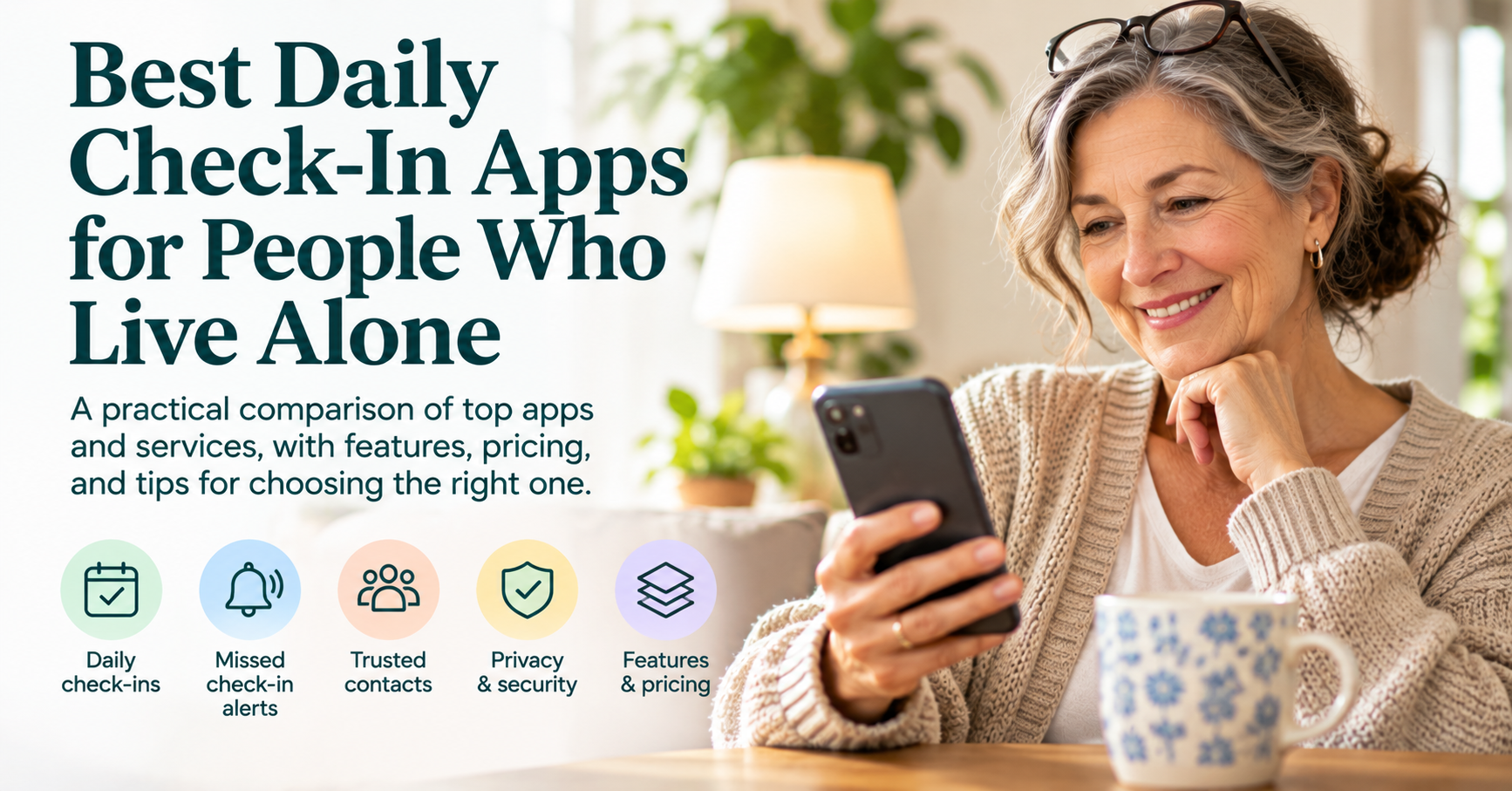
Living alone offers a kind of freedom that's difficult to replicate. You can make your own schedule, enjoy your own space, and organize your life exactly the way you want. But even people who love living independently sometimes wonder what would happen if they became ill, had an accident, or were unable to contact someone for help. The concern isn't necessarily that an emergency will happen. It's that nobody might realize something was wrong until much later.
Daily check-in apps offer a simple way to address that possibility. Instead of asking someone to monitor your activities or call you repeatedly, these services establish a routine: you confirm you're okay, and if an expected check-in doesn't happen, someone is notified. The idea of creating an emergency plan when you live alone is straightforward, but the apps themselves differ significantly in how they work, what they cost, and what happens when you don't respond.
In this guide, we'll compare some of the best daily check-in apps and services for people who live alone, including free options and alternatives that don't require a smartphone. We'll look at the features that matter most, explain where different services have advantages, and help you choose an approach that fits your lifestyle.
What Is a Daily Check-In App?
A daily check-in app is a service that allows you to confirm you're okay at a scheduled time. Depending on the service, that confirmation might involve tapping a button, clicking a link, responding to a text message, or answering an automated phone call. If you don't complete the expected check-in, the service follows a predefined process that may include reminders, notifications to trusted contacts, or professional follow-up.
The most important distinction is that a daily check-in app is designed to notice an absence of confirmation. It doesn't necessarily detect an emergency, determine whether you're injured, or monitor your movements. Instead, it creates a predictable signal that can help someone recognize when follow-up may be appropriate.
This makes daily check-ins particularly appealing to people who value their independence. You can continue living your life without having someone constantly watching where you go or what you do. Your chosen contacts only need to become involved when an expected confirmation is missing.
For a deeper explanation, see What Is a Safety Check-In App and How Does It Work?
The Best Daily Check-In Apps and Services at a Glance
The services below represent different approaches to the same basic problem. Some are designed for a simple daily confirmation, while others provide automated calls, multiple notification channels, or professional assistance. We've also included Apple's built-in Check In feature because it's a useful free alternative for specific activities, even though it isn't a recurring daily check-in service.
App or service | Starting price | Check-in method | Missed-check-in response | Best suited for |
|---|---|---|---|---|
Alrightly | Free; Plus Plan $5.99/month | Scheduled emails, push notifications, or SMS options depending on plan | Alerts chosen trusted contacts | Flexible, privacy-conscious daily routines |
Snug Safety | Free; Dispatch Plan $12.50/month billed annually | Daily app check-in | Texts contacts; optional professional dispatch | Simple daily smartphone check-ins |
Iamfine | $14.99/month | Automated phone call, text, or web | Repeated calls followed by contact alerts | People who prefer phone calls or landlines |
AssureOkay | Paid plans advertised from $4.99/month | App and other methods depending on plan | Alerts selected contacts | People wanting several check-in methods |
Apple Check In | Included with compatible iPhones | Manually started trip or timer | Notifies a selected contact when a session isn't completed | Trips, outings, and occasional activities |
Prices are in US dollars and reflect publicly advertised information reviewed in November 2026. Plan availability, billing terms, and features may change. Apple Check In is an activity-based alternative rather than a recurring daily service.
1. Alrightly: Best for Flexible Check-Ins Without Continuous Monitoring
Alrightly is a safety check-in service built around a simple idea: people who live independently should be able to create a reliable backup plan without giving up their privacy. You choose your check-in schedule and identify the people you trust. If you miss an expected check-in, the service can notify those contacts so they know to follow up.
Unlike location-tracking services, Alrightly focuses on whether you've checked in rather than where you've been throughout the day. That makes it particularly relevant for people who live alone by choice and don't want friends or family routinely monitoring their activities. The goal is to make an unexpected absence noticeable, not to turn independent living into a supervised experience.
Features and pricing
Alrightly offers a free plan with one daily check-in, one trusted contact, email-based check-ins and alerts, a configurable grace period, an activity log, and an emergency information card. This can be enough for someone who wants a straightforward routine and has one reliable person willing to receive notifications.
Alrightly Plus costs $5.99 per month or $59.99 annually. It supports up to two daily check-ins and five trusted contacts, with push notifications and SMS check-ins and alerts for US phone numbers. The paid plan also includes escalation nudges, allowing for a more flexible notification routine.
What we like
The main advantage is the combination of a free entry point, flexible scheduling, and a clear emphasis on independence. The ability to select a grace period is useful because an occasional late check-in shouldn't automatically become a crisis. Multiple contacts on the paid plan also make it easier to distribute responsibility rather than relying entirely on one person.
What to consider
Alrightly depends on trusted contacts to respond to notifications. It does not provide a professional emergency dispatch team, automatically determine whether an emergency has occurred, or replace an emergency response system. Its SMS features are also limited to US phone numbers, which matters if you or your trusted contacts live elsewhere.
Best fit: People who want an affordable daily safety net, value privacy, and have trusted contacts who can follow up when needed.
2. Snug Safety: Best for a Simple Daily Smartphone Check-In
Snug Safety is one of the more established services specifically focused on daily check-ins for people living alone. Users select a daily deadline and confirm they're okay through the app. If a check-in is missed, Snug follows a reminder process and then takes action according to the user's plan.
Snug's free service sends a text message to emergency contacts when a check-in is missed. If location information is available, the alert can include it. The service also offers a paid Dispatch plan that adds human follow-up and potential coordination with local responders.
Features and pricing
Snug's free plan includes a daily check-in and text alerts to emergency contacts. The paid Dispatch plan is advertised at $149.99 per year, equivalent to approximately $12.50 per month when billed annually. Dispatch adds calls from a professional dispatcher, contact follow-up, wellness-check coordination when needed, and up to three daily check-ins.
What we like
Snug is easy to understand: check in each day, and your contacts are notified if you don't. The free plan is a particularly strong option for people who prefer a dedicated smartphone app and want their contacts to receive text notifications without paying a subscription. The optional Dispatch plan is also worth considering for people who want a professional follow-up layer beyond their personal network.
What to consider
Snug's free-plan location sharing may not appeal to everyone, so it's worth understanding exactly what information is included in a missed-check-in alert. Professional dispatch is available only through the paid plan, and coordination with emergency responders does not guarantee a particular response time or outcome.
Best fit: Someone who wants a straightforward app-based daily check-in, especially if free SMS alerts or optional professional follow-up are priorities.
3. Iamfine: Best for People Who Prefer Automated Phone Calls
Not everyone wants to open an app every day. Some people prefer a familiar phone call, particularly if they use a landline, don't carry a smartphone, or simply find answering the phone easier than navigating an app. Iamfine is designed around that preference.
The service places scheduled automated calls and allows the user to confirm they're okay. It also supports checking in through a text response or website. If the person doesn't answer, the service makes additional attempts before notifying members of their designated Care Circle.
Features and pricing
Iamfine advertises a monthly plan at $14.99 and an annual plan at $120. Both include one or two daily check-in calls, up to eight Care Circle members, and alerts by text or phone. The service offers a 14-day trial and supports scheduling adjustments, including selected days and vacation mode.
One particularly useful feature is its repeated-call process. Rather than treating one unanswered ring as a missed check-in, Iamfine attempts additional calls over approximately an hour before escalating to contacts. That can reduce unnecessary alerts when someone is temporarily away from the phone.
What we like
Iamfine makes daily check-ins accessible without requiring a smartphone app. It's a practical choice when the person using the service is comfortable answering calls but less interested in managing digital notifications. The ability to add several contacts can also help families establish a shared response plan.
What to consider
An automated call may be inconvenient for someone whose daily schedule changes frequently. It also costs more than several app-based alternatives, although the extra expense may be worthwhile if phone calls are the method the person will reliably use.
Best fit: Older adults, landline users, and anyone who would rather answer a scheduled call than open an app.
4. AssureOkay: Best for Multiple Ways to Check In
AssureOkay takes a broader approach to check-ins by offering different methods depending on the plan. Its published comparison information describes app-based check-ins alongside options involving smartwatches, text messages, and automated calls. This flexibility may appeal to households where people have different technology preferences.
The advantage of multiple check-in methods is that the routine can be designed around the person rather than requiring the person to adapt to a single interface. Someone who normally uses an app may appreciate a different option when their routine changes. A family helping an older parent might also value the ability to choose a method that feels familiar.
Features and pricing
AssureOkay has advertised paid plans starting at $4.99 per month, with higher-tier options for additional check-in and notification methods. Its published information describes customizable grace periods and alerts to designated contacts. Because features vary by subscription, prospective users should confirm the current plan details and supported devices directly before subscribing.
What we like
The main appeal is flexibility. A service that accommodates several check-in methods can be useful when technology preferences differ or change over time. The configurable grace period is another practical feature, particularly for people who don't want a rigid daily deadline.
What to consider
A larger feature set can also mean more decisions during setup. It's important to distinguish between what the basic plan includes and what requires an upgrade. As with other automated check-in services, notifying a contact is not the same as providing emergency assistance.
Best fit: Individuals or families who want to choose among several check-in methods rather than rely on one daily app interaction.
5. Apple Check In: Best for Occasional Trips and Activities
Apple's built-in Check In feature is useful, but it solves a slightly different problem. Rather than establishing an ongoing daily routine, it allows an iPhone user to start a check-in for a particular trip or period of time. If the check-in isn't completed as expected and the user doesn't respond to prompts, the selected contact can be notified.
For example, you might start a Check In before walking home, meeting someone new, or traveling to an unfamiliar destination. The feature can also share selected information, such as location and phone battery status, when a check-in fails. Apple allows users to choose between different levels of information sharing.
Features and pricing
Check In is included with compatible iPhones and requires iOS 17 or later for both participants. It supports destination-based and timer-based sessions through Messages. There is no separate subscription fee for the feature.
What we like
Apple Check In is convenient for people who already use compatible iPhones. It's particularly useful when you want someone to know whether you've arrived somewhere safely without sending a separate message afterward. The timer option also works for situations where you expect to finish an activity within a particular period.
What to consider
Apple Check In isn't a substitute for a recurring daily check-in service. You must initiate each session, so it won't automatically notice that you failed to begin your normal daily routine. It also requires compatible Apple devices for both participants, making it less suitable for households using a mixture of phones.
Best fit: iPhone users who want an additional safety tool for travel, outings, and specific activities rather than an everyday living-alone check-in routine.
Which Daily Check-In App Is Best for Your Situation?
There's no universal winner because different people need different kinds of confirmation. The best choice depends less on the number of features and more on whether the system fits your actual routine and produces a useful response when something unexpected happens.
If you live alone and want a simple daily safety net
Start by comparing Alrightly and Snug. Both offer free ways to establish a daily check-in routine and notify someone when an expected confirmation is missing. Alrightly may be a better fit if you prefer email-based check-ins, configurable grace periods, and a privacy-focused approach. Snug may be preferable if you want a dedicated smartphone app with free text alerts to your contacts.
If you're choosing a service for an aging parent
Begin with the method your parent is most comfortable using. If they already use a smartphone confidently, an app-based check-in may be simple enough to become part of their routine. If they prefer answering the telephone, Iamfine deserves consideration. AssureOkay may be worth exploring if several methods are important.
The older adult should participate in the decision whenever possible. A system they dislike or find intrusive is unlikely to become a reliable daily habit, regardless of how reassuring it looks to other family members.
For a broader comparison of calls, texts, neighbors, and automated services, see Daily Check-Ins for Seniors: Calls, Texts, Apps, and Other Options.
If you want professional follow-up
Snug Dispatch is the clearest option among the services compared here for adding a professional response layer to missed check-ins. That can be valuable when trusted contacts are difficult to reach or live far away. However, professional follow-up should not be confused with continuous medical monitoring or guaranteed emergency intervention.
If you mostly want someone to know you've arrived safely
Apple Check In may be sufficient for occasional trips and activities. It is already built into compatible devices and doesn't require a separate subscription. If your concern is what happens when you don't check in during an ordinary day at home, a recurring service is more appropriate.
The Most Important Feature Isn't the Check-In Button
Most daily check-in services make confirming you're okay relatively easy. The more important question is what happens when you don't confirm. A service may send a reminder, wait through a grace period, notify one person, contact several people, or involve a professional dispatcher. Those differences determine how useful the system will be when something genuinely unexpected happens.
Before choosing an app, work through the missed-check-in process from beginning to end. Imagine you were unable to respond at your usual time. How long would the service wait before notifying someone? Would the notification reach a person who is available to act? Would that person know what to do next?
A missed check-in is a signal that follow-up may be needed, not evidence that an emergency has occurred. People forget, sleep late, lose internet access, silence their phones, and change their plans. A good system accounts for ordinary disruptions while still making an unexpected absence noticeable.
Seven Features to Compare Before You Choose
1. The check-in method
The easiest method is usually the one you're most likely to use consistently. Some people prefer tapping a button, while others find responding to an email or answering a call more natural. A service with impressive features won't help much if the daily action becomes annoying or difficult to remember.
2. The missed-check-in timeline
Find out when reminders begin, how long the grace period lasts, and when contacts receive an alert. A short window may produce more unnecessary notifications, while a long window may delay useful follow-up. Neither is automatically better; the right balance depends on your schedule and circumstances.
3. The notification method
Email, text messages, phone calls, and push notifications all have advantages and limitations. Email may be sufficient for a contact who checks it regularly, while a text, push notification, or phone call may be more noticeable to someone who rarely opens their inbox. Ask your contacts which methods they're most likely to see promptly.
4. The number of trusted contacts
One reliable person may be enough for a simple plan, but having a backup can be useful. Your primary contact might be traveling, working, or temporarily unreachable when an alert arrives. If you add several contacts, agree on who should respond first so everyone doesn't assume someone else is handling it.
5. Privacy and location sharing
Some services focus primarily on check-in confirmations, while others can share location or device information when a check-in fails. Neither approach is inherently right or wrong. The important thing is understanding what information is collected, when it's shared, and whether you're comfortable with those choices.
6. Scheduling flexibility
A rigid daily deadline may be fine if your routine is consistent. If your schedule changes frequently, look for options such as adjustable check-in times, grace periods, multiple daily check-ins, or the ability to pause notifications during travel. Flexibility can make a system more sustainable over time.
7. What happens after the alert
This is the part families sometimes overlook. Even an excellent notification system depends on what happens next. Your contacts should know whether to call you, send a message, contact a nearby neighbor, visit your home, or seek emergency assistance when circumstances warrant it.
Create a No-Response Plan Before You Need One
Choosing a daily check-in app is only one part of building a useful safety net. The other part is agreeing on what should happen if the app alerts someone. Without that agreement, a trusted contact may receive a notification but have no idea whether to wait, call, visit, or contact another person.
A simple no-response plan might look like this:
The service sends a missed-check-in alert after its configured reminder and grace period.
Your primary trusted contact calls and texts you.
If there's no response, that person contacts a designated backup or someone nearby.
The contact uses the information available to decide whether an in-person check or emergency assistance is appropriate.
After the situation is resolved, you and your contacts review whether the plan worked as intended.
The plan should reflect your circumstances, the availability of your contacts, and any relevant access arrangements. It should also be created with your consent. A trusted contact is not agreeing to monitor your life or assume responsibility for every unexpected event; they're agreeing to take reasonable steps when a specific signal indicates that follow-up may be needed.
If you haven't established a broader safety plan, our Living Alone Safety Checklist can help you think through additional preparations.
Daily Check-In Apps vs. Medical Alert Systems
Daily check-in apps and medical alert systems are often discussed together, but they serve different purposes. A daily check-in app generally looks for a missed expected confirmation. A medical alert system is typically designed to let someone request help during an emergency, sometimes through a wearable button or automatic fall-detection feature.
This distinction matters because a person may be unable to press a help button during an emergency, while a daily check-in system may not notify anyone until the next scheduled deadline. Neither approach eliminates every possible gap. Depending on someone's needs, the two can complement each other.
Someone who is active, healthy, and comfortable living alone may decide that a daily check-in service provides the additional reassurance they want. Someone who needs a way to summon urgent assistance immediately may benefit more from a medical alert system or another emergency response option. The decision should be based on the actual problem you're trying to solve, not simply on age.
Do You Need to Share Your Location to Use a Daily Check-In App?
Not necessarily. Some daily check-in services work by recording whether you completed an expected action, without requiring continuous location tracking. Other safety apps for people who live alone offer location sharing as an additional feature or include location information when a check-in is missed. Both approaches can be useful, depending on the circumstances.
If you live alone and mostly want someone to notice when you haven't checked in, location tracking may not be necessary. If you frequently travel, hike, or spend time in unfamiliar places, location information could help a trusted contact determine where to look. What matters is that you understand the tradeoff and make an informed choice about what to share.
Privacy isn't an obstacle to creating a safety net. A thoughtfully chosen system can preserve your autonomy while giving trusted people a clear reason to follow up when something unusual happens.
How to Test a Daily Check-In App Before Relying on It
Before making a check-in service part of your daily routine, conduct a test with your trusted contacts. Complete a normal check-in so you understand the process, then arrange a controlled missed-check-in test at a time when everyone knows what to expect. Confirm whether reminders arrive, whether alerts reach the intended people, and whether the information in those alerts is understandable.
Testing is especially important if the service uses email filters, phone notification settings, or multiple contacts. A notification that arrives silently in a spam folder isn't very useful, even if the service technically sent it successfully. Ask your contacts to save relevant email addresses or phone numbers and confirm that their devices display notifications as expected.
It's also worth reviewing the arrangement periodically. People change phone numbers, travel, move, and become less available. A short conversation every few months can help ensure that your check-in plan still matches your life.
Frequently Asked Questions About Daily Check-In Apps
The Best Daily Check-In App Is the One You'll Actually Use
A daily check-in system doesn't need to be complicated to be useful. For some people, a single confirmation each morning and one trusted contact are enough. Others want multiple check-ins, several contacts, text notifications, or professional follow-up. The right choice is the one that fits naturally into your routine and creates a clear, reliable signal when something unexpected happens.
Living independently doesn't mean doing everything without support. It means deciding what kind of support makes sense for your life and choosing how to put it in place. A good daily check-in app respects that independence while helping the people you trust know when it may be time to reach out.
If you're looking for a simple place to start, explore Alrightly's free and paid check-in plans. You can set up a daily routine, choose a trusted contact, and decide how much additional flexibility you need.